Impressions
-
Initially the app is intimidating with the amount of information, giving the impression that it is quite bloated. However, if you ignore the examples and create a blank project, the app becomes much simpler and more pleasant.
-
There is no customization of shortcuts or interface customization.
-
The button to create an entity, resize an entity and select an entity is the same (MB1) and cannot be changed.
-
This is annoying, many times I create an entity when I only wanted to move the existing one.
-
-
The exported data is considerably more complex than Tiled's data.
-
This is not necessarily a problem, since it is still a json file.
-
-
(2025-03-06)
-
The issue tracker has several bug reports, but it is quite abandoned.
-
There are basically no PRs.
-
Both Issues and PRs receive no response or comment.
-
The last update was 1 year and 2 months ago.
-
The last commit was 4 months ago.
-
Editor
-
Does not support placing images in the world well.
-
It is always necessary to use a TileSet.
-
Use a tile that composes the entire image, or multiple smaller tiles that together compose the entire image.
-
-
-
LDtk's YSort is not done across different layers.
-
Severity :
-
It's just a visual inconvenience in LDtk, it doesn't break the data.
-
-
"A layer with YSort enabled should interact with the tiles contained in itself and with other layers that also have YSort enabled".
-
In other words, it's like adding itself to a pool to perform ordering.
-
-
-
LDtk changes casing and removes characters, even in the most "liberal" case.
-
There is no grouping of Layers.
-
This would be useful to organize the Floors of my game.
-
Not gamebreaking or anything. I use IntGrid to make the separation.
-
-
Does not allow Isometric or Hexagonal Grids.
Entities
-
Entity placement tool :
-
EntityLayer entities cannot be flipped.
-
Tiles can be flipped with the X or Y button, but entities cannot.
-
-
Does not allow deleting entities in bulk with Shift MB2.
-
Does not allow selecting entities in bulk with Shift MB1.
-
-
Entities are not drawn with YSort.
-
I felt this was a problem when drawing trees as Entities.
-
Tileset
-
tile_size is always square; the TileSet does not allow editing tile width and height.
-
I felt this was a problem when drawing the cliff_32x16x16.
-
This made me have to edit the tile to be 48x48 instead of 16x48.
-
-
-
Padding and spacing of tiles are also square, not per axis.
-
Collision definition :
-
~ Each tile has a metadata field that accepts a polygon to represent collision.
-
The TileSet has an Enum with 3 fields; each field shows the following options below when selected:-
Impressions :
-
(2025-06-11) Does not solve basically any problem. Works for some extremely specific cases, but it's not a good solution.
-
-
"I place the pivot at the base of the tree trunk and associate a capsule-shaped collision enum".
-
Box.
-
width.
-
height.
-
-
Capsule (box with trimmed edges).
-
width.
-
height.
-
-
Circle.
-
radius.
-
-
-
The TileSet has a single collision editor, so you can draw 1 polygon that represents the collision for ALL tiles.
-
-
Pivot Point :
-
~ Each tile has its own custom Origin (former pivot-point), measured in px, not %.
-
It is necessarily a TileSet characteristic.-
Impressions :
-
(2025-06-11) Although useful, it's much better to have a pivot associated with each tile, instead of the tileset, because it's annoying to deal with varied tilesets.
-
-
This makes it consistent with Entities.
-
This causes only a single Pivot editor to be implemented, valid for:
-
TileLayer.
-
Makes total sense, since TileLayer can only have 1 TileSet anyway.
-
-
InGrid / Auto-Layer.
-
Doesn't even have a PivotPoint, it makes sense to have it on the TileSet since IntGrid also can only have 1 TileSet.
-
-
-
-
It is not allowed to specify the tile's origin point.
-
This can be solved in IntGrid or in TileSet.
-
I must evaluate which of the two options makes more sense, considering TileLayer, IntGrid AND Auto-Layer problems.
-
-
This ends up being a bigger problem for Tibia-style cases.
-
It's also annoying when you want to place a simple decoration element, but it occupies a non-conventional space in the tile.
-
It's just an inconvenience, but not a big deal.
-
-
It is not possible to specify the YSort origin point of each tile.
-
This is solved with the ability to change the tile's origin while using that origin as the YSort Origin.
-
-
Useful :
-
The EntityLayer allows a nice customization of the PivotPoint; I should evaluate if that is valid for other cases.
-
The TileLayer allows changing the origin.
-
IntGridLayer and Auto-Layer do not allow changing the origin
-
This hinders drawing autotiles.
-
I felt this was a problem when drawing the cliff_32x16x16.
-
-
-
-
IntGrid
-
IntGridLayer tiles cannot be flipped.
-
IntGridLayer's YSort is buggy.
-
This is the YSort of a single layer with itself.
-
It's clearly buggy, draw the image below and play with it to understand.
-
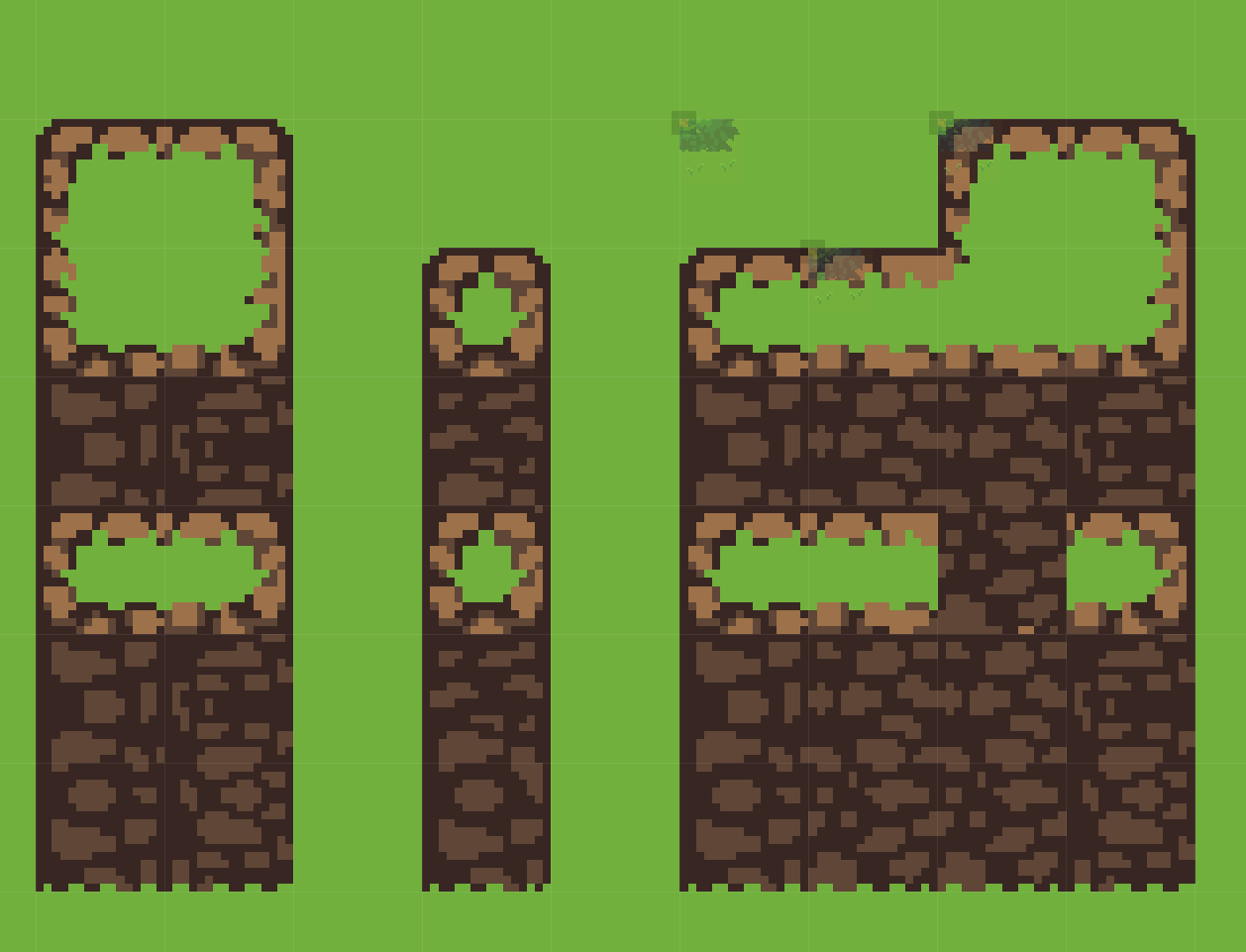 .
.
-
-
RulesWizard flips tiles automatically, greatly disrupting setting different tiles.
TileLayer
-
Tile preview for TileLayer is quite confusing, resulting in a strange offset.
-
When flipping a Tile on any axis, it's confusing where the tile will be placed.
-
If the Tile had a preview like the EntityLayer this would be much better.
-