NeoVim - Setup
Just a reminder
-
For files: Go to Programs/Terminal and look around.
Where I left off
-
(2025-04-02)
-
https://www.youtube.com/watch?v=ZqPpBfiX9ws
-
https://github.com/vimichael/my-nvim-config
-
https://www.youtube.com/watch?v=LR0RBUsu4pk
-
https://www.youtube.com/watch?v=LaIa1tQFOSY
-
https://www.youtube.com/watch?v=xy9sSVx2cfk
-
(2025-02-27)
-
https://github.com/romgrk/barbar.nvim
-
https://github.com/nvim-tree/nvim-tree.lua
-
-
Consists only of
keyorshift + key.
-
-
Improvements below.
Improvements
-
FileSystem.
-
NvimTree.
-
Customize the shortcuts.
-
Defaults .
-
-
% Telescope File Browser.
-
Customize the shortcuts.
-
-
-
Sessions.
-
% Tabs.
-
% barbar.
-
-
Shortcuts.
-
Some options I thought of; don't know what works. Alt doesn't work.
-
alt qwer asd zx \
-
ctrl c
-
alt 1234
-
I found problems with this.
-
-
~alt '
-
Works, but it's bad.
-
-
ctrl '-
Doesn't work.
-
-
ctrl alt '-
Doesn't work.
-
-
alt space-
Can't.
-
-
ctrl space-
Doesn't work.
-
-
shift space-
Can't.
-
-
ctrl alt space-
Can't.
-
-
-
Insert
-
% Return to Normal Mode.
-
-
Normal and Insert
-
% Create new line above and below.
-
-
Visual Mode
-
% All shortcuts.
-
-
Normal
-
Enter Insert Mode
-
~This one's kinda ok, using A, S, C.
-
-
-
Philosophy
NeoVim as an ecosystem
-
Building an ecosystem :
-
Since everything is built on top of the same foundation, an "ecosystem" is created rather than a "set of tools".
-
This helps learning new tools, since they are built on top of something familiar.
-
This is not necessarily true, since many plugins do so much that they require learning from scratch, with shortcuts that override previous behavior.
-
-
-
Customizing the look, creating a harmonious visual :
-
Since everything is in the same place, themes tend to give a comfortable and uniform look, creating the feeling of a deep ecosystem.
-
-
More expansive :
-
Making a CLI tool feels super complex due to OSes, languages, etc. Besides, it often lacks a well-defined use case because it's ultra niche.
-
However, making a plugin for NeoVim feels considerably simple, since it's done in Lua (Roblox, WoW).
-
The fact that NeoVim can use high-level abstractions for plugin creation puts it FAR ahead in terms of expansiveness and customization of plugins, etc.
-
Maybe this is one of the main downsides regarding terminal use, since it's simply too niche and inaccessible due to complexity and awful programming languages.
-
Over time a CLI tool might start to look like closed-source software in terms of difficulty of modification and customization.
-
Obviously CLI tools tend to be customizable, but still don't feel particularly appetizing as an ecosystem.
-
-
-
Impractical for some uses common to me :
-
Markdown:
-
Writing and manipulating notes makes more sense to be done in NeoVim, using NeoVim's file structure, because of plugins, macros, etc.
-
-
-
Nvim has less volatile compatibility :
-
Nvim is well-established, and since the massive majority of plugins don't depend on other tools, the Nvim tool ecosystem is naturally more compatible than a bundle of CLI tools.
-
-
Terminal multiplexers incompatible on Windows :
-
TMux and Zellij have no native support for Windows.
-
TMux needs WSL.
-
Zellij on Windows is experimental.
-
-
Terminal tools give a disappointing workflow :
-
Except for Broot .
-
See the reviews .
-
~eza
-
~tlrs
-
zoxide. -
fzf. -
bat
-
Terminal + CLI tools + NeoVim
-
-
"Make each program do one thing well. To do a new job, build afresh rather than complicate old programs by adding new "features"."
-
"Expect the output of every program to become the input to another, as yet unknown, program."
-
-
Overload of modes and Shortcuts; hierarchical system :
-
Nvim has 3 modes: Normal, Insert and Visual. There are other modes, but everything is fundamentally based on these.
-
The problem is that many plugins use these modes to create IDE-like interfaces and experiences, but that can make it clunky to switch modes while editing a window where it doesn't make sense.
-
Nvim shortcuts are "good" for text editing, but many plugins edit these shortcuts so configured behavior can be overwritten by the plugin, or vice versa.
-
Combining the 'modes' problem with the shortcuts problem creates an environment that feels unpredictable , so sometimes I'm not sure what to expect when installing a new plugin.
-
Every new tool brings this insecurity, but since plugins run on top of Nvim and not beside it, it makes things more unpredictable than usual.
-
Feels like a classic hierarchy vs component pattern problem, since everything is built inheriting Nvim's default behavior, etc.
-
-
Installation
NeoVim
-
Choice :
-
Use the .msi installer or winget preferably.
-
-
.msi installer from GitHub.
-
Went to
C:\Program Files\Neovim.
-
-
winget install Neovim.Neovim-
Went to
C:\Program Files\Neovim.
-
-
choco install neovim-
Needed Admin PowerShell.
-
Went to
C:\tools\neovim\nvim-win64.
-
-
scoop install neovim-
Not sure where it installed. Didn't like it.
-
-
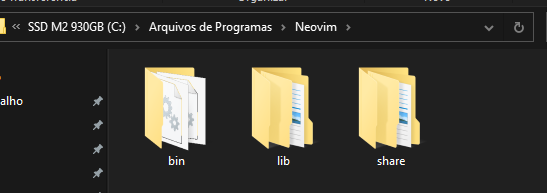
After installing, it should look like this:
-
 .
.
-
Configuration
-
In PowerShell or CMD:
-
mkdir $HOME\AppData\Local\nvim-
No need to replace anything.
-
-
-
Neovim's configurations are located under the following paths, depending on your OS:
-
Linux and macOS:
-
$XDG_CONFIG_HOME/nvim -
~/.config/nvim
-
-
Windows:
-
cmd:
-
%localappdata%\nvim\
-
-
powershell:
-
$env:LOCALAPPDATA\nvim\
-
-
-
"Distros" ("Distributions")
Prerequisites
-
Regardless of the chosen Distro (or if you don't want to use a Distro), you must install NeoVim first.
Without using distros
-
Tutorial .
-
Nice, cool.
-
I prefer without distros, I think.
Comparisons
-
Comparison between LunarVim, AstroVim, NvChad and LazyVim .
-
My impressions:
-
Overall, all cool.
-
LazyVim and LunarVim have a nice initial screen with file creation options, etc.
-
Overall there were differences in installing new plugins, where LazyVim is the simplest in this regard.
-
-
Kickstart.nvim
-
About :
-
"Not a 'distribution', but a template. It doesn't install plugins for you."
-
It's a Neovim configuration focused on simplicity and a quick start for users who want to use Neovim effectively without much configuration effort. Ideal for beginners who want something functional out of the box but customizable later.
-
Minimal and quick configuration :
-
Kickstart aims to provide an initial configuration that lets you start using Neovim with basic editor functionality.
-
-
Focus on the basics :
-
Includes only essential plugins, like telescope.nvim for file navigation and treesitter for improved code syntax.
-
-
Easy to customize :
-
Although kickstart is an initial config, it allows you to modify and add plugins easily as needed.
-
-
Zero Complexity :
-
The focus is to be as simple as possible, making it ideal for people starting with Neovim who want a good base to expand.
-
-
"Why is the kickstart
init.luaa single file? Wouldn't it make sense to split it into multiple files?"-
The main purpose of kickstart is to serve as a teaching tool and a reference configuration that someone can easily
git cloneas a basis for their own. As you learn Neovim and Lua, you might splitinit.luainto smaller parts. A fork that does this while keeping functionality is available:
-
-
-
Requirements :
-
FAQ .
-
Windows:
-
With Chocolatey:
-
choco install -y neovim git ripgrep wget fd unzip gzip mingw make
-
-
-
-
Installation :
-
Windows:
-
git clone https://github.com/nvim-lua/kickstart.nvim.git $HOME\AppData\Local\nvim.
-
-
Linux and Mac:
-
git clone https://github.com/nvim-lua/kickstart.nvim.git ~/.config/nvim
-
-
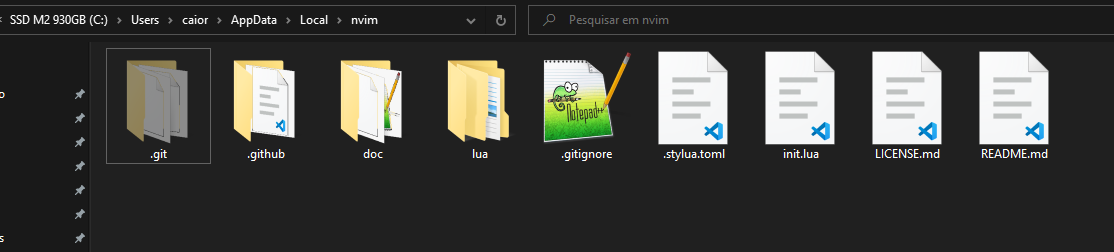
After installing, it should look like this:
-
 .
.
-
-
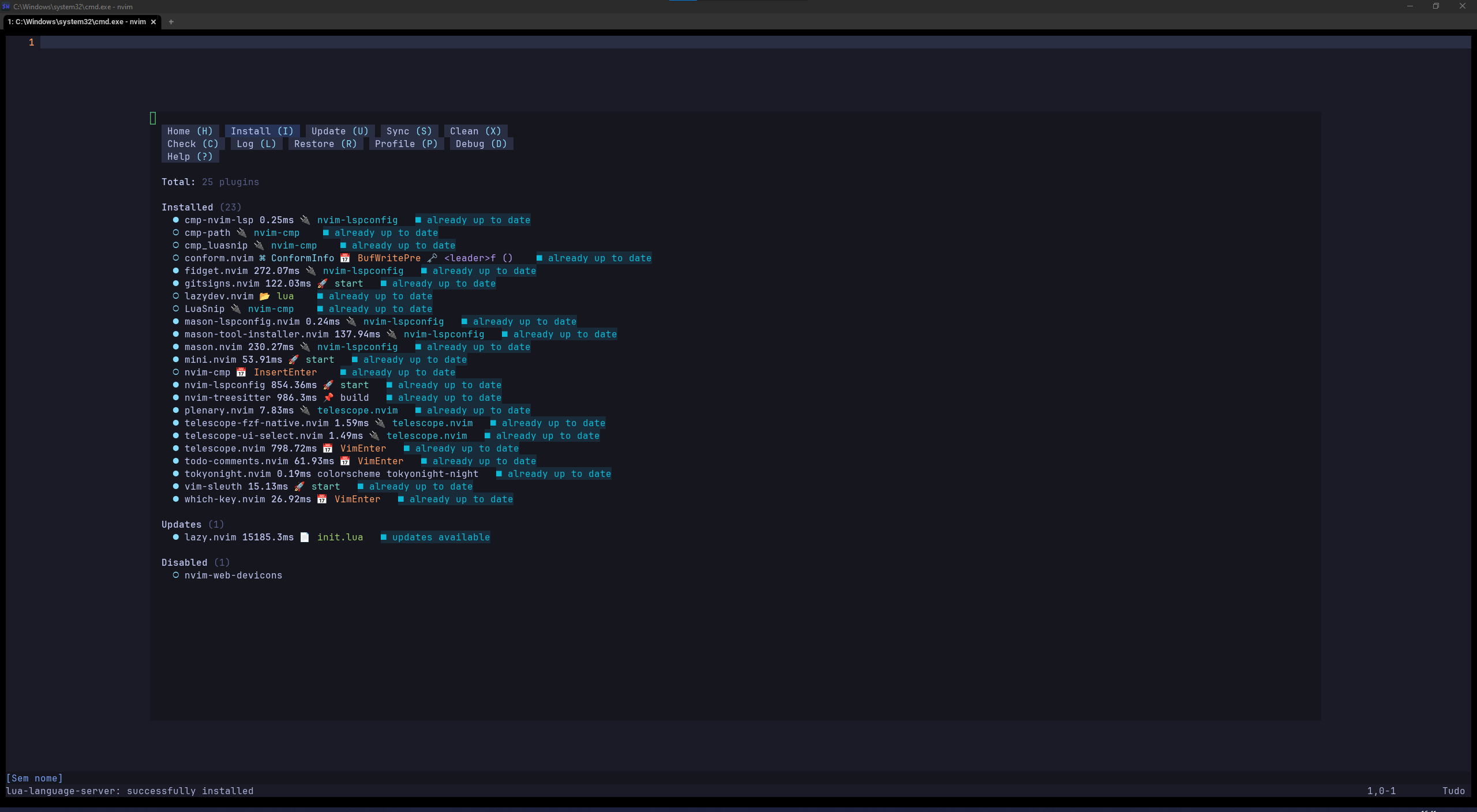
How nvim looks after installing:
-
 .
.
-
I'm using WezTerm, but it looks like a generic CMD at the moment. The visuals came from Kickstart.
-
-
-
Configuring :
-
Run U to update everything that needs updating.
-
It's super useful to run ? to learn the new interface.
-
-
Theme :
NvChad
-
About :
-
It's a pre-configured Neovim setup that uses the
lazy.nvimpackage manager. -
Modular Structure :
-
NvChad organizes configuration in modules, allowing features to be toggled on/off easily.
-
-
Pre-configured plugins :
-
Many useful plugins like telescope.nvim and nvim-tree.lua are already configured.
-
-
Modern Interface :
-
The default theme and visuals are based on Lush , which allows dynamic theme creation for Neovim.
-
-
Plugin management :
-
Uses Packer.nvim for plugin management, making installation and updates easier.
-
-
Focus on Performance :
-
One of NvChad's main concerns is keeping the editor fast and light even with many plugins.
-
-
Basic file structure:
-
lua/core/: Contains NvChad core modules like shortcuts and general settings. -
lua/custom/: Where you customize without affecting original files. -
plugins.lua: Defines and manages plugins.
-
-
-
Installation :
-
Windows:
-
git clone https://github.com/NvChad/NvChad $HOME\AppData\Local\nvim --depth 1.
-
-
Linux and Mac:
-
git clone https://github.com/NvChad/NvChad ~/.config/nvim --depth 1.
-
-
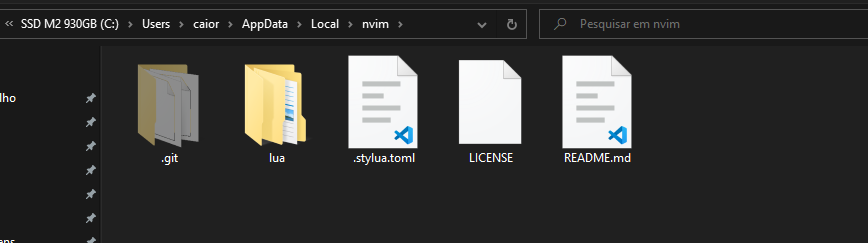
After installing, it should look like this:
-
 .
.
-
-
-
My experience :
-
After installing NvChad "correctly" and opening nvim, the example message didn't appear.
-
Running
:help checkhealthgave a warning that I didn't haveinit.luain the config directory$HOME\AppData\Local\nvim.
-
-
-
It uses the
JetBrainsMono Nerd Font.
-
LazyVim
-
"Great for users who want a highly optimized setup focused on performance, with lazy loading for efficiency.".
LunarVim
-
.
AstroVim
-
.
Plugins
Installation
Plugin Manager
Lazy
-
:Lazy -
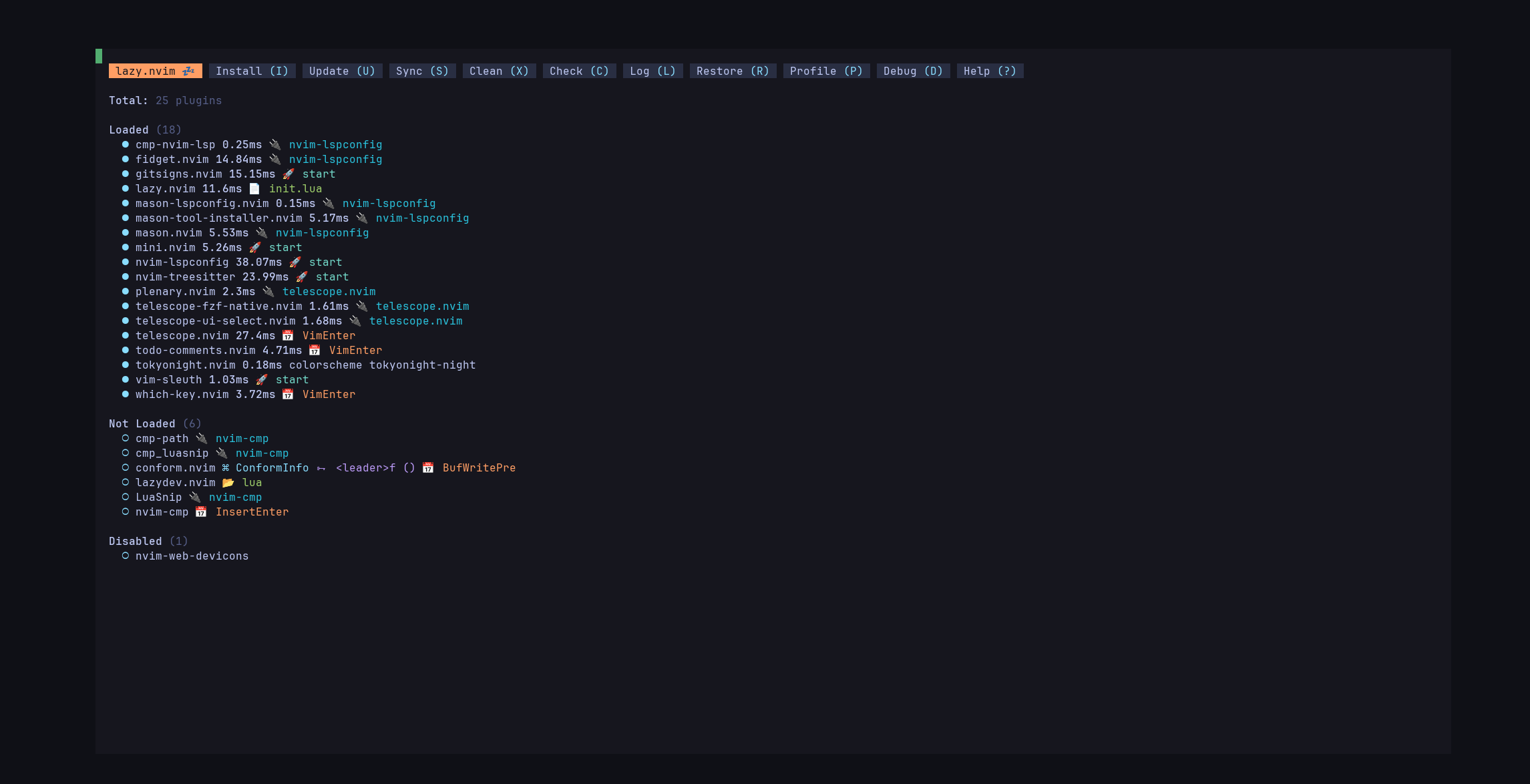 .
.
Packer
-
They say Lazy is better.
LSP
Mason
-
Mason .
-
Install and manage LSP servers, DAP servers, linters, and formatters.
-
:Mason. -
"Press on what you want to install".
-
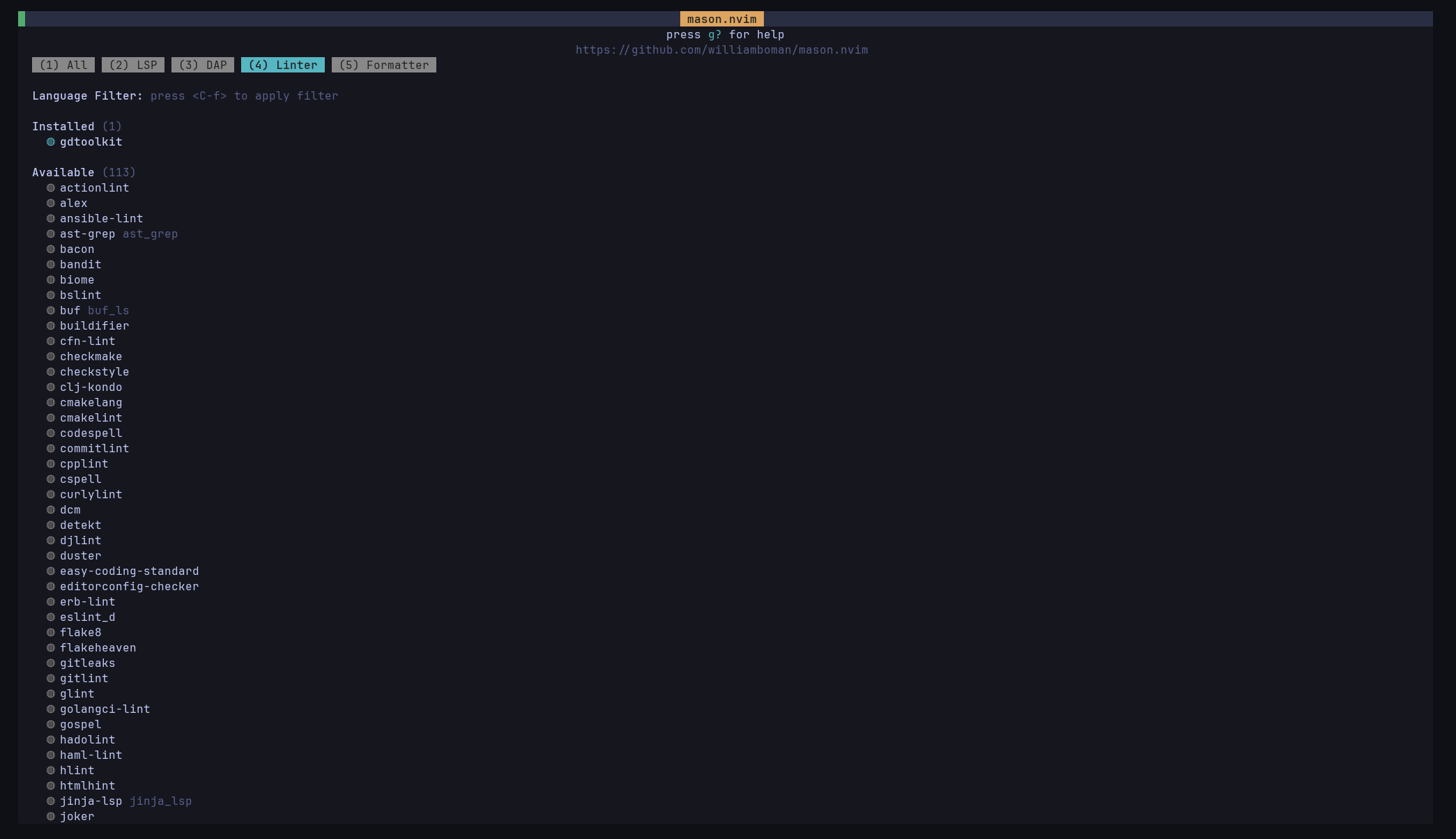 .
.
TreeSitter
-
"low-level nvim", highlights, etc.
nvim-lint
Trouble
FileSystem
Telescope
nvim-tree
-
Impressions :
-
Preferred it over NeoTree.
-
It's simpler and more direct.
-
-
No fuzzy finder or anything.
-
It's just a filesystem toggle.
-
-
Customization :
Oil.nvim
Harpoon
-
Harpoon .
-
Allows "pinning" files and using shortcuts to navigate between them.
Mini-files
-
Demo .
-
Seems to interact like Oil, which is ok, but I prefer Oil's view perhaps?
-
Impressions :
-
Didn't like the floating interface much.
-
Doesn't seem to have a fuzzy finder.
-
Felt not useful to me.
-
ChadTree
-
ChadTree .
-
Impressions :
-
Seems to have a lot, maybe negatively.
-
No mention of fuzzy finder.
-
Hate the name and dislike the plugin's "bloated" posture.
-
Mini-visits
-
Harpoon sounds better.
Fern
-
Fern .
-
"without any external dependencies".
-
Priorities: UX > Simplicity > Customization.
-
Demo .
-
Impressions :
-
Nothing special.
-
No fuzzy finder.
-
lir.nvim
-
lir.nvim .
-
Impressions :
-
Updated 9 months ago.
-
No mention of fuzzy finder.
-
Unpopular
-
CoC Explorer
-
No updates in 6 months, indicating beta and possibly broken.
-
Very visually similar to Fern.
-
Impressions :
-
Nothing special.
-
No fuzzy finder.
-
Fern seemed better.
-
nvim-NeoTree
-
Neo-tree .
-
Impressions :
-
Found its fuzzy finder poor and not comparable to
fzfor Telescope. -
Interface is a bit annoying because:
-
Hidden items are hidden by default.
-
Fuzzy is bad.
-
-
Overall, surprisingly bad.
-
NetRW
-
Default of NeoVim.
-
A loooooot of pain.
-
I don't like it.
-
Keymaps super confusing.
Workflow
Comment
Mini-ai
-
mini-ai .
-
"Better Around/Inside textobjects".
-
Appearance:
-
statusline :
-
Similar to LuaLine, but I think I prefer LuaLine.
-
-
Substitute
Surround
-
Surround .
UndoTree
-
UndoTree .
Notetaking
Render-Markdown.nvim
-
This video uses Render-markdown.
Markdown-preview.nvim
-
Renders markdown content in the browser to preview formatted output.
-
Sounds odd, since it can look like a .pdf or .html without theme.
-
Worth testing to see if the visual is satisfactory.
-
Glow
-
Glow .
-
"Render markdown on the CLI".
-
Seems useful to render .md in terminal nicely.
~Obsidian.nvim
-
Has a markdown UI that can conflict with other plugins.
-
The link explains how to disable this plugin's UI.
-
-
Why use it?
-
Honestly, for me it only makes sense when dealing with
[[bidirectional_links]]. -
I don't see other advantages...
-
Apparently Obsidian.nvim also includes Obsidian "core plugins" like Templates, etc.
-
Kinda meh.
-
I don't like Obsidian's system. I'd prefer doing snippets manually, with less fuss.
-
-
I want to test not using it first to see if it's even necessary for me, since I'm not a big user of note linking.
-
Markdown.nvim
-
Kinda outdated and visually inferior impression.
Neorg
-
Neorg .
-
Premise: all features are built on one base file format (
.norg), which you learn once to access all Neorg functionality. -
File format is expressive and easy to parse, making
.norgusable outside Neorg. -
Impressions :
-
Syntax is confusing and non-standard Markdown.
-
To-do lists are smart: completing all children completes the parent.
-
It's very similar to Markdown but with different syntax. No real advantage, just syntax changes.
-
Metadata conceptually similar, but with different syntax.
-
-
VimWiki
-
VimWiki .
-
VimWiki .
-
Can write in VimWiki syntax or Markdown.
-
Default is VimWiki.
-
-
Didn't like VimWiki syntax and Markdown support feels poor.
Git
Lazy git?
-
.
vim-fugitive
-
Git stuff.
Visuals
Noice
-
Noice .
-
"Brings everything to eye-level".
-
I like that.
-
WhichKey
-
:WhichKey -
 .
.
Mini-clue
-
Similar to WhichKey.
Indent-blankline
-
Vertical line showing indentation.
-
I preferred it over the previous version that used
>>to represent tabs.
Todo Comments
-
Nice todo comments in code.
Buffer-line
-
Better visuals for tabs.
Lua-line
-
Lua-line .
-
Better status bar visuals.
-
The difference is small, but okay.
Mini-statusline
-
Similar to LuaLine, but I think I prefer LuaLine.
Dressing
-
Dressing .
-
Improves visuals of some popups.
-
Didn't feel much difference; may disable.
Start Screen
Alpha
-
Adds a "greeter" / "home page".
-
Cool.
Mini-starter
Themes
Tokyo Night
-
Comes installed with Kickstart.
-
"Includes extra themes for Kitty, Alacritty, iTerm and Fish."
-
Extras .
-
Catpuccin
Godot LSP
Requirements
-
winget nmap install-
Apparently only to fix a small quirk on Windows.
-
Explanation
-
https://ericlathrop.com/2024/02/configuring-neovim-s-lsp-to-work-with-godot/
-
-
"With godot 4 comes dap integration, which is much better than my solution https://github.com/mfussenegger/nvim-dap "
-