-
You can drag and drop a
.blendfile and you'll be asked with the available options.
Copy / Paste
-
You can copy elements from one
.blendfile to another, just by using ctrl+c and ctrl+v. -
Everything is local; unlinked-copy.
Append
-
Basically a fancy way of "copy / paste".
-
Everything is local; unlinked-copy.
-
Ideally, you append a Collection, not individual Objects / Meshes.
-
The reason for that is organization.
-
Link
-
Brings an instance from another
.blendfile, and every time you make a change to the original file, the instance will be updated. -
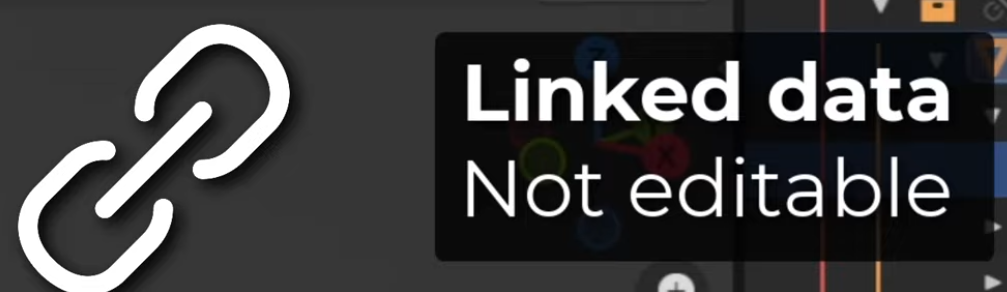
How linked data looks :
-
 .
-
Cannot be edited.
-
-
 .
-
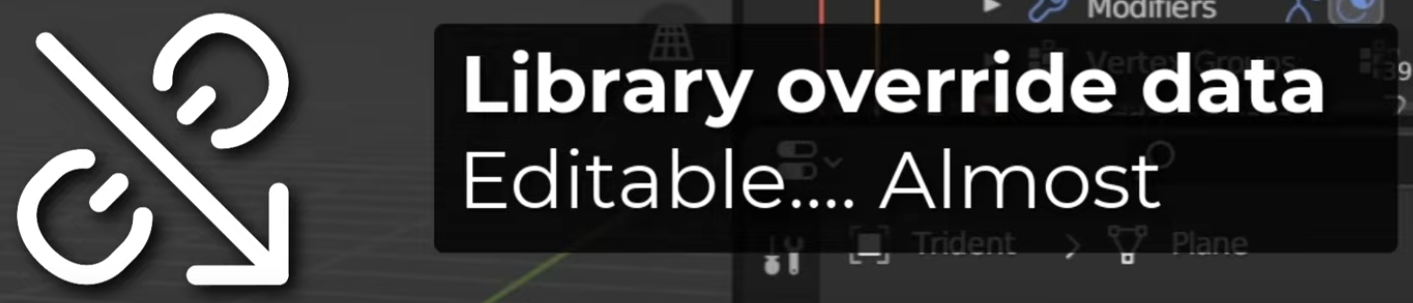
A Library Override was made.
-
The data can be edited, but will revert to the original data once the file is reloaded.
-
Edits made after a Library Override are not saved anywhere, so this is only useful for testing; as changes are not saved.
-
Despite this, you can still make Poses and create new animations (old ones cannot be modified).
-
The idea is that you cannot modify the data, but you can animate the data.
-
These new animations are stored in the current Blender file, not in the source file.
-
-
-
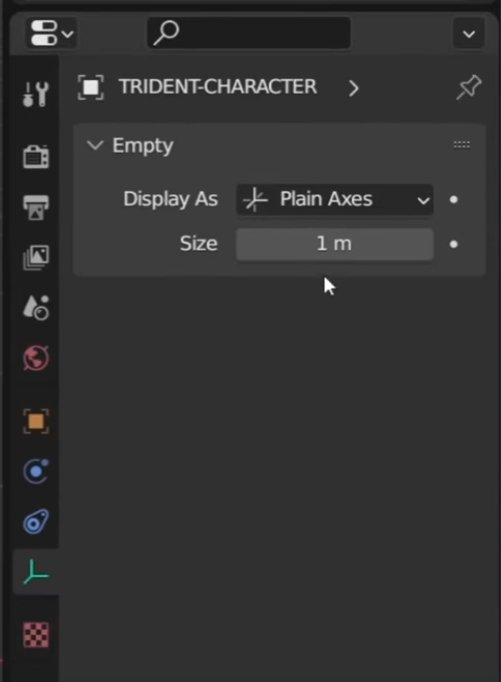
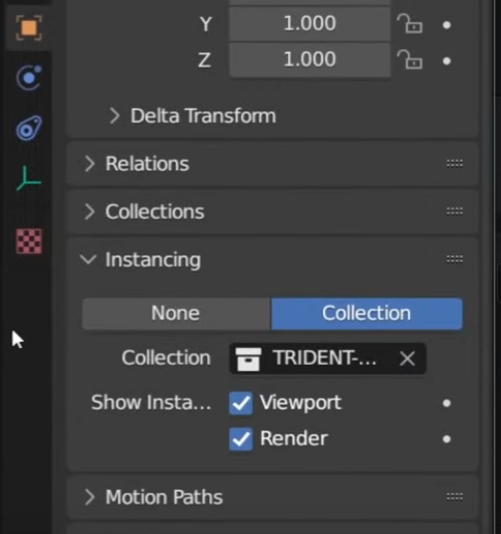
A Collection is instanced as an Empty.
-
 .
-
 .
-
To see its contents, you have to make a Library Override .
-
-
-
Good workflow :
-
"An animator would work on a linked version of the file, while a modeler / rigger would work on the original file."
-
"A level designer would work on a linked version of the file, with the low-poly mesh, while the modeler would work on the original file."
-
You should link Collections , not just anything.
-
"You can easily add or remove assets from a Collection. Objects can only store their own data."
-
An Object cannot even be moved.
-
-
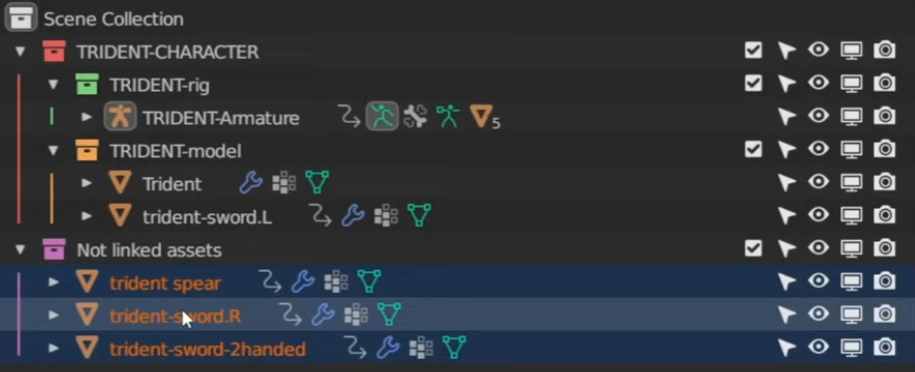 .
-
"Use a master collection", etc.
-
-
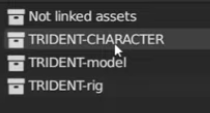 .
-
Name your collections as obviously as possible, to not link wrong collections.
-
My Master Collection is fully capitalized.
-
-
-
Fixing Broken Link :
-
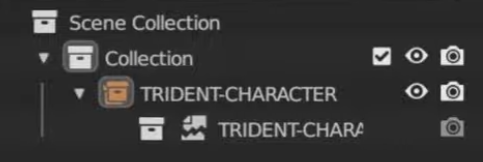 .
-
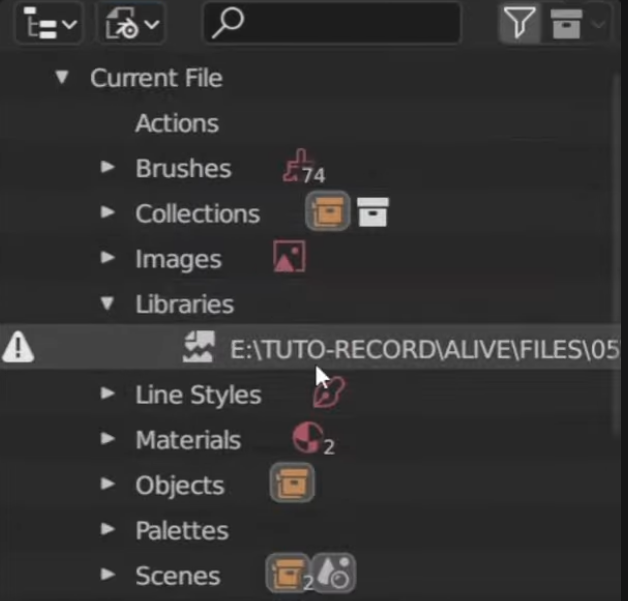 .
-
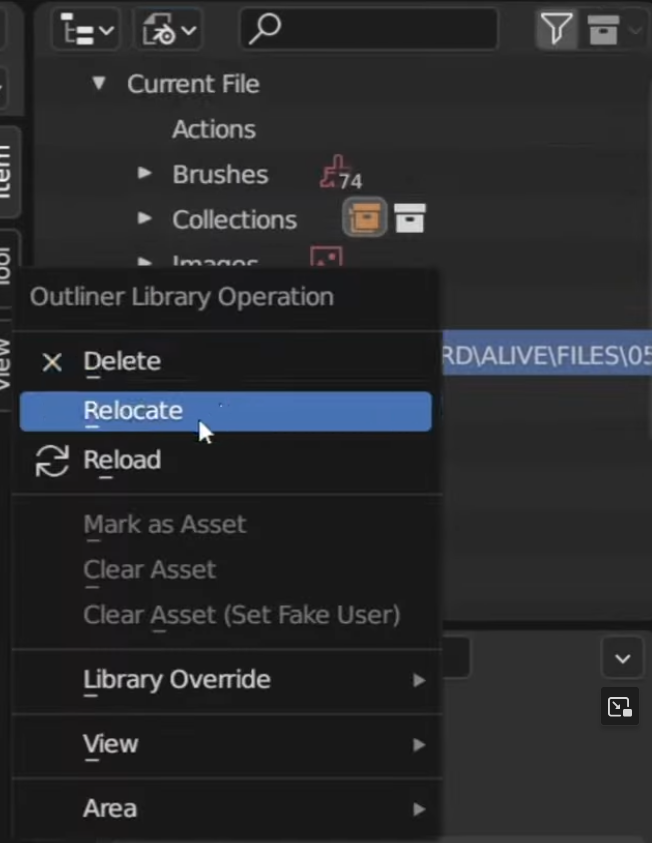 .
-
If the path of the linked
.blendfile is changed/renamed, this will make the object have missing data, showing the 'missing data' icon (torn paper). -
The path can be fixed by going to
Outline -> Blender File -> Libraries -> ~file -> Relocate.
-
-
Remove Link :
-
Assumption: Clicking the 'chain icon with arrow' breaks the link, allowing edits to be made normally, as the file becomes saved locally.
-
If you Shift + Click the icon, something else happens, but I don't know what.
-
Asset Library
What is an asset?
-
It's all stored inside a
.blendfile. A.blendfile can contain many assets. What defines an "asset" is a resource being checked "Mark as Asset".
Adding an asset
-
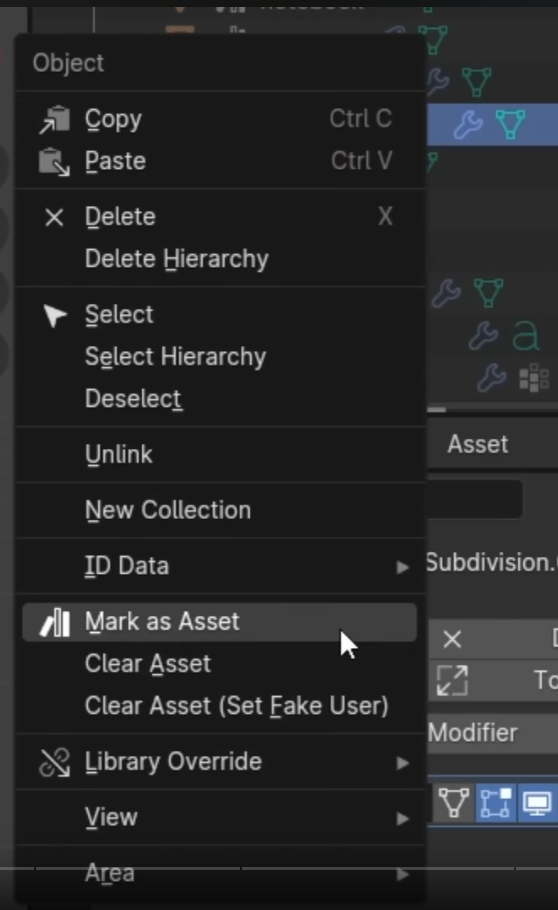 .
-
"Mark the Collection as Asset".
-
-
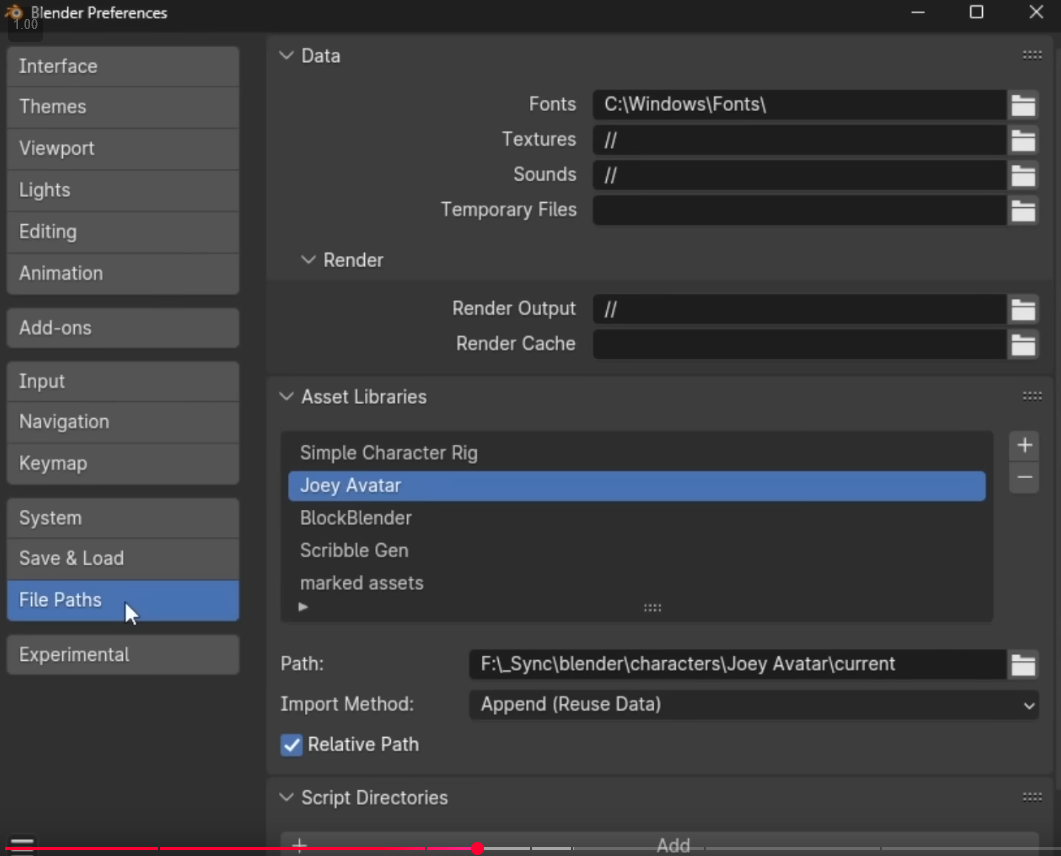 .
-
Add this file to the asset library, so I can access all this stuff more easily in other files.
-
-
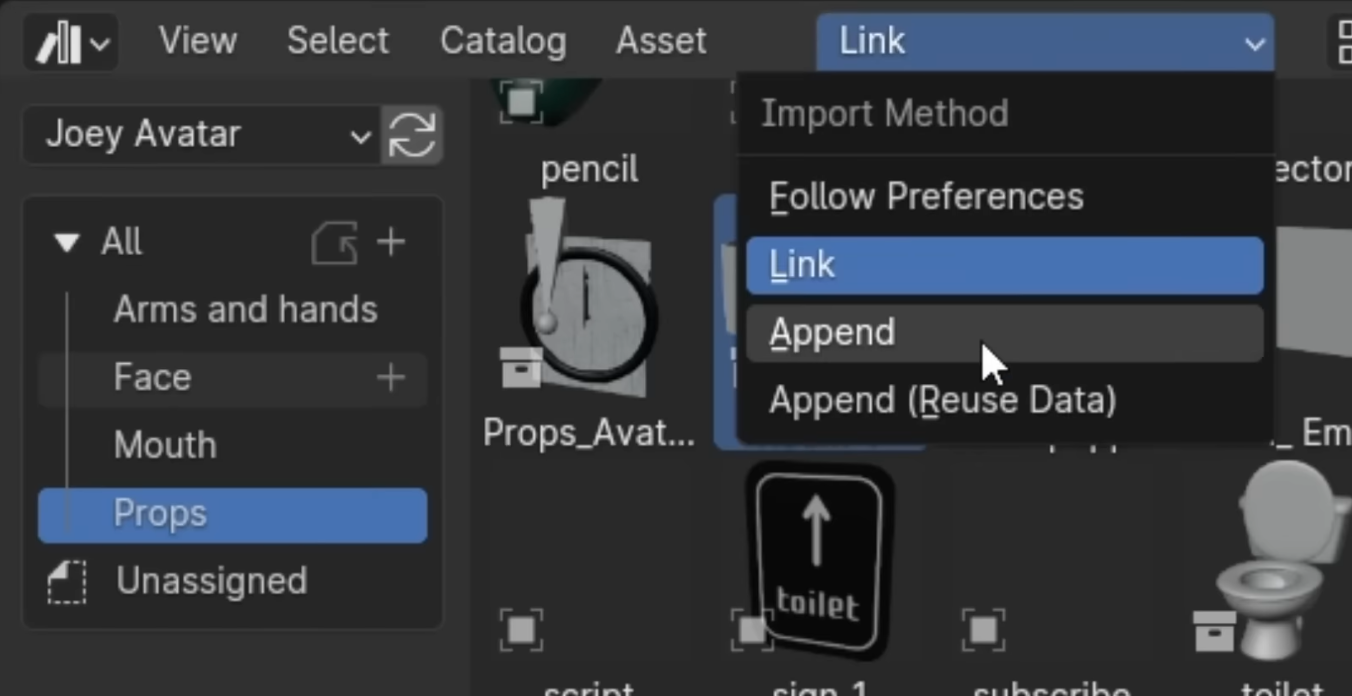 .
-
You can change the import method in the Asset Library.
-
Link will make it so that if the asset is updated in the original file, all other files will change as well.
-
Library Override can be used. For what?
-
-
For something specific for my current scene, I go for Append, so I can edit the file here, without having to edit the original model.
-
Catalog
-
It's basically a virtual folder for organizing the assets inside a Asset Library.
-
File system folders don't do anything to a catalog.
-
An asset can be assigned to a single catalog at a time.
-
New catalogs can be created in the Asset Browser through Header ‣ Catalog ‣ New Asset Catalog. Once the catalog is created you can double LMB on its name in the Source List region of the editor to give the catalog a more descriptive name. Catalogs can also be created in this region by clicking the plus icon found at the top of the Tree View.
-
Each catalog consists of a catalog path, a UUID, and a simple name.
-
TLDR :
-
Each asset has a field inside its file that associates a Catalog UUID where this asset belongs.
-
A catalog UUID is defined inside the
blender_assets.cats.txtfile, on the root of the Asset Library. -
The "Simple Name" is just a human readable name of the catalog, that never shows up in the UI.
-
This name is never updated inside the asset. Once you select a new UUID Catalog for that asset, the Simple Name will update automatically.
-
-
Ex :
-
Creating a
Brushescatalog, creates this entry inside the file:170b451e-72f4-4a20-8fbe-9de910671855:Brushes:Brushes.
-
-
-
Dealing with many
.blendfile :-
Merge all files into one:
-
Open one of them, drag and drop the others one by one inside the first one, selecting "append" and appending the assets.
-
-
-
Catalog Path :
-
The path of a catalog determines where in the catalog hierarchy the catalog is shown. Examples are
Characters/Ellie/Poses/HandorKitbash/City/Skyscrapers. -
Catalog paths follow the following rules:
-
All paths are absolute; there is no difference between /a/b and a/b.
-
Only / as separator (no ; think less filesystem path and more URL).
-
Not empty (it’s required for a valid catalog).
-
No empty components (so not a//b; a/b is fine).
-
Invalid characters: :, .
-
Paths are always interpreted as UTF-8.
-
-
-
UUID :
-
Each catalog has a UUID, which is normally hidden from the user interface (enable Developer Extras and the experimental Asset Debug Info option to see them). This is what is stored in the asset, and what determines the
«identity»of the catalog. As a result, a catalog can be renamed or moved around (i.e. you can change its path), and all assets that are contained in it will move along with it. This only requires a change to the catalog itself, and not to any asset blend-file.
-
-
Simple name :
-
Each catalog has an optional simple name. This name is stored along with the UUID in each asset. The purpose is to make it possible for humans to recognize the catalog the asset was assigned to, even when the catalog definition file (see below) is lost.
-
Like the UUID, the simple name is normally hidden from the user interface. Enable Developer Extras in the interface preferences to make it visible in the Asset Browser.
-
-
Ex :
# This is an Asset Catalog Definition file for Blender. # # Empty lines and lines starting with `#` will be ignored. # The first non-ignored line should be the version indicator. # Subsequent lines are of the format "CATALOG_UUID:catalog/path/for/assets:simple catalog name" VERSION 1 313ea471-7c81-4de6-af81-fb04c3535d0e:catalog/without/simple/name: ee9c7b60-02f1-4058-bed6-539b8d2a6d34:character/Ellie/poselib:character-Ellie-poselib cd66bf52-58f4-45cb-a4e2-dc0e0ee8f3fe:character/Ellie/poselib:character-Ellie 4eb44ec6-3424-405b-9782-ca006953e799:character/Ellie/poselib/white space:character-Ellie-poselib-white space b63ed357-2511-4b96-8728-1b5a7093824c:character/Ružena/poselib:Ružena pose library dcdee4df-926e-4d72-b995-33106983bb9a:character/Ružena/poselib/face:Ružena face fb698f2e-9e2b-4146-a539-3af292d44899:character/Ružena/poselib/hand:Ružena hands -
To debug it :
-
Preferences -> Interface -> Developer Extras -
Preferences -> Experimental -> Asset Debug Info -
The UUID and Simply Name will be shown in the right panel of the Asset Library.
-
-
(2026-09-08)
-
This is a reeeaaaaally convoluted feature. As always, something simple, made confusing.
-
-
Assigning assets to a catalog:
-
In Blender 4.5, you can assign assets to catalogs by dragging them onto a catalog, but only when Blender can edit the asset metadata. For assets coming from an external .blend file in an asset library, the Asset Browser is essentially showing you a read-only view. Blender explicitly says that asset metadata can only be edited for assets in the current .blend file.
-
-
The
blender_assets.cats.txtfile:-
Creating a new catalog on blender's interface will make so a
blender_assets.cats.txtfile is created side by side with the.blendfile containing the asset. -
There can only be one of this file for a whole Asset Library, and it should be placed on the root of the Asset Library.
-
Special file names
-
_bundle.blend-
Get's the option to add directly to a asset library via a button.
-
I don't like this.
-