-
In Vulkan, to execute code on the GPU, we need to set up a pipeline.
-
There are two types of pipelines, Graphics and Compute:
-
Compute pipelines :
-
Are much simpler, because they only require the data for the shader code, and the layout for the descriptors used for data bindings.
-
-
Graphics pipelines :
-
Have to configure a considerable amount of state for all of the fixed-function hardware in the GPU such as color blending, depth testing, or geometry formats.
-
-
-
Both types of pipelines share the shader modules and the layouts, which are built in the same way.
-
VkPipeline
Pipeline Layout
-
A collection of
DescriptorSetLayoutsandPushConstantRangedefining its push constant usage. -
PipelineLayouts for a graphics and compute pipeline are made in the same way, and they must be created before the pipeline itself.
-
-
-
Structure specifying the parameters of a newly created pipeline layout object
-
setLayoutCount-
Is the number of descriptor sets included in the pipeline layout.
-
-
pSetLayouts-
Is a pointer to an array of
VkDescriptorSetLayoutobjects. -
The implementation must not access these objects outside of the duration of the command this structure is passed to.
-
-
-
-
pCreateInfo-
Is a pointer to a VkPipelineLayoutCreateInfo structure specifying the state of the pipeline layout object.
-
-
flags-
Is a bitmask of VkPipelineLayoutCreateFlagBits specifying options for pipeline layout creation.
-
-
setLayoutCount-
See Vulkan#Descriptor Set Layout for more information.
-
Is the number of descriptor sets included in the pipeline layout.
-
-
pSetLayouts-
Is a pointer to an array of
VkDescriptorSetLayoutobjects. The implementation must not access these objects outside of the duration of the command this structure is passed to.
-
-
pushConstantRangeCount-
Is the number of push constant ranges included in the pipeline layout.
-
-
pPushConstantRanges-
Is a pointer to an array of VkPushConstantRange structures defining a set of push constant ranges for use in a single pipeline layout. In addition to descriptor set layouts, a pipeline layout also describes how many push constants can be accessed by each stage of the pipeline.
-
-
-
Mesh Shaders
Support
-
(2025-09-12)
-
 .
.
-
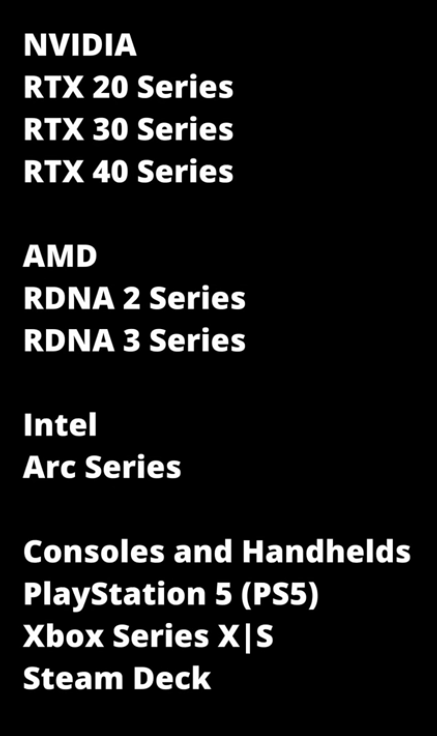
It is important to note that while portability between APIs can be achieved, portability in performance among vendors is much harder. This is one of the reasons why this extension has not been released as a ratified KHR extension and Khronos continues to investigate improvements to geometry rasterization.
-
There are further aspects that can influence the performance of mesh shaders in a vendor dependent way:
-
The number of maximum output vertices and primitives that a mesh shader is compiled with.
-
The number of per-vertex and per-primitive output attributes that are passed to fragment shaders. For example, it may be beneficial to fetch additional attributes in the fragment shader and interpolate them via hardware barycentrics to reduce the output space of the mesh shader.
-
The complexity of the culling performed in the mesh shader. For example details regarding the per-vertex and/or per-primitive culling with compact outputs compared to letting the hardware perform culling.
-
The usage of additional shared memory. If possible developers should use subgroup operations (such as shuffle) instead.
-
The task payload size.
-
Task shaders may add overhead, use them only when they can cull a meaningful number of primitives or when actual geometry amplification is desired.
-
Do not try to reimplement the fixed-function pipeline, strive for simpler algorithms instead.
-
-
 .
.
Motivation
-
 .
.
-
 .
.
-
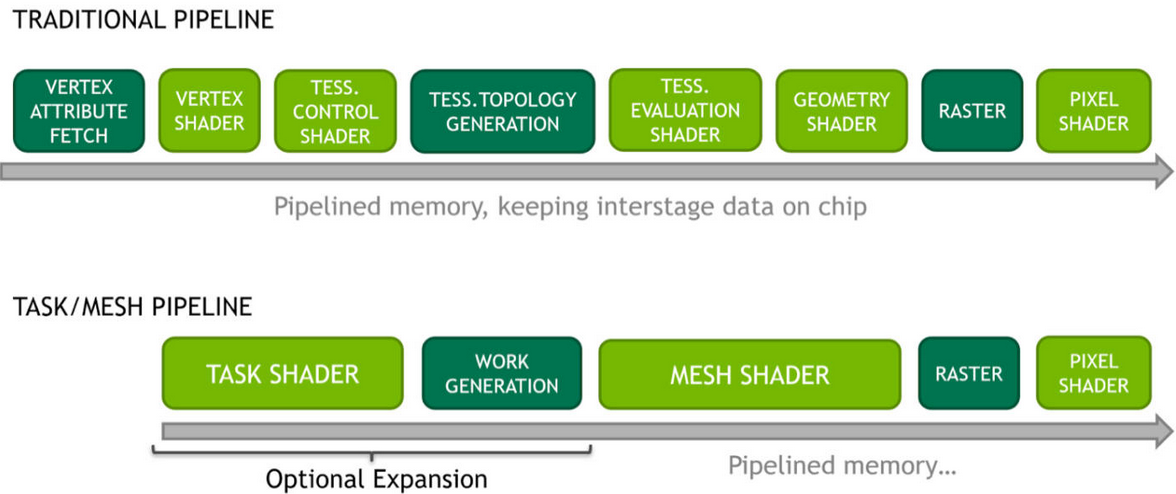
The current state of the Graphics Pipeline is not a direct mapping of how a GPU operates.
-
There's a lot of Per Vertex -> Per Primitive -> Per Vertex -> Per Primitive happening inside a Graphics Pipeline.
-
The idea is to use the flexibility of Compute Shaders and use the GPU more closely as it operates.
-
Mesh and Task shaders follow the compute programming model and use threads cooperatively to generate meshes within a workgroup. The vertex and index data for these meshes are written similarly to shared memory in compute shaders.
-
Mesh shader output is directly consumed by the rasterizer, as opposed to the previous approach of using a compute dispatch followed by an indirect draw.
-
Mesh Shading applications can avoid preallocation of output buffers.
-
Before deciding to use mesh shaders, developers should ensure they are a good fit for their application. The traditional pipeline may still be best suited to many use cases, and it may not be trivial to improve performance using the mesh shading pipeline given the long evolution and optimization efforts applied to the traditional pipeline stages.
-
Applications and games dealing with high geometric complexity can, however, benefit from the flexibility of the two-stage approach, which allows efficient culling , level-of-detail techniques as well as procedural generation .
-
Compared to the traditional pipeline, the mesh shaders allow easy access to the topology of the generated primitives and developers are free to repurpose the threads to do both vertex shading and primitive shading work. This is in contrast to tessellation shaders, which, while fast, provide very limited control over the triangles created, and geometry shaders, which use a single-thread programming model that is inefficient for modern streaming processors.
Task Shader
-
Is optional and provides a way to implement geometry amplification by creating variable mesh shader workgroups directly in the pipeline. Task shader workgroups can output an optional payload, which is visible as read-only input to all its child mesh shader workgroups.
-
A Task Shader decides how many Mesh Shaders you would like to run.
Meshlets / Triangle Clusters
-
 .
.
-
When rasterizing geometry, mesh shaders typically make use of pre-computed triangle clusters of an upper bound in the number of vertices and triangles, also sometimes referred to as meshlets. Because task and mesh shaders, like compute, have only workgroup and invocation indices as input, all data fetching is handled by the application directly, which entirely removes fixed-function vertex processing and input assembly. This allows developers to be flexible in the storage of mesh data in both vertex and primitive topology representations. Another very common technique is to leverage the task shader and let one local invocation test one cluster for visibility. Through the use of subgroup operations developers can compute and write out information about the visible clusters into the task shader payload.
-
The meshlet / primitive cluster dimensions can have an especially big impact for the developer, as when streaming it is ideal to store assets with a fixed clustering in advance. Vendors may have different performance recommendations and so we suggest the use of smaller cluster sizes that work equally well across multiple vendors and process multiple small clusters at once on implementations that perform better with larger clusters. In this area we advise developers to experiment and consult with their hardware vendors for recommendations.
Using it
-
-
The URL comes from
NV_mesh_shader; maybe it's relevant?
-
-
-
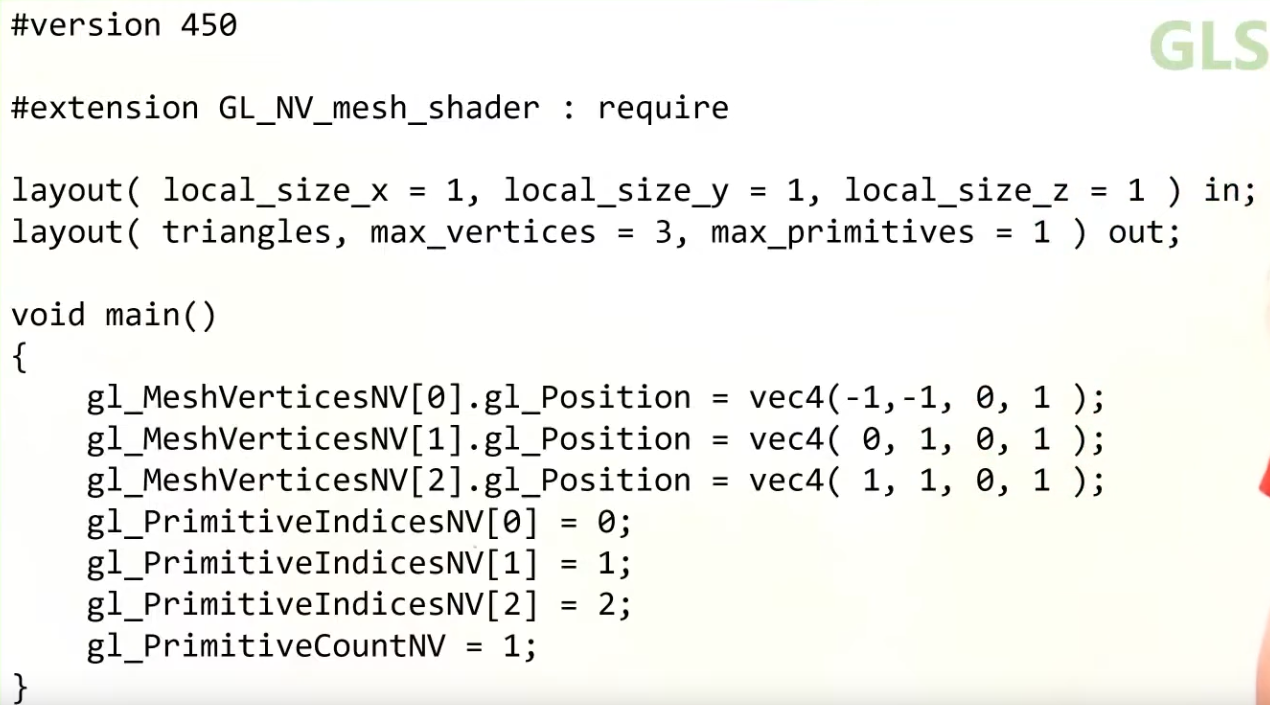
This OpenGL/Vulkan sample illustrates the use of "mesh shaders" for rendering CAD models.
-
-
 .
.
-
The recommended idea is a Mesh Shader to operate on a Meshlet.
What a Mesh Shader enables
-
You can do very early culling.
-
It can be faster than the classical Graphics Pipeline, if correctly optimized.
-
Mesh Shader output Execution Mode :
-
The mesh stage will set either
OutputPoints,OutputLinesEXT, orOutputTrianglesEXT
#extension GL_EXT_mesh_shader : require // Only 1 of the 3 is allowed layout(points) out; layout(lines) out; layout(triangles) out; -
Cluster Culling Shader
-
-
HUAWEI_cluster_culling_shader.
-