Starting
Versions
-
Versions and Features Breakdown .
-
Patch notes.
-
-
Why not use Vulkan 1.0? {12:57 -> end} .
-
1.0 is harder, with missing features and clunky interfaces.
-
The video is pretty nice. I listed the problems it explained about 1.0 and placed them in the documentation below.
-
It was well explained and I came to appreciate using Vulkan 1.3+.
-
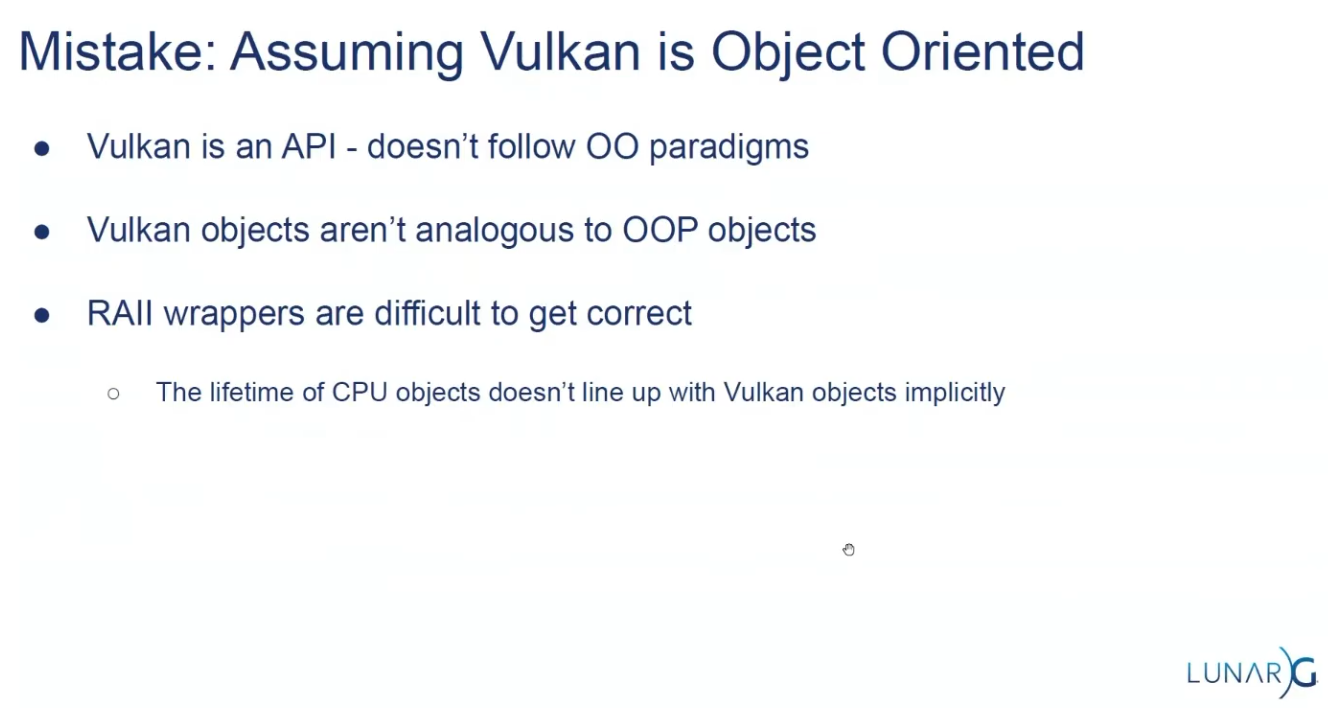
Is OOP?
-
Version 1.3, (2024-02-22).
-
 .
.
API Structs
-
Many structures in Vulkan require you to explicitly specify the type of structure in the
sTypemember. -
Functions that create or destroy an object will have a
VkAllocationCallbacksparameter that allows you to use a custom allocator for driver memory, which will also be leftnullptrin this tutorial. -
Almost all functions return a
VkResultthat is eitherSUCCESSor an error code. The specification describes which error codes each function can return and what they mean. -
The
KHRpostfix, which means that these objects are part of a Vulkan extension. -
The
pNextmember can point to an extension structure.
Compatibility
Support
-
Windows (7 and later)
-
Yes, via the official SDK and drivers.
-
-
Linux
-
Yes. Native support via Mesa and vendor drivers.
-
-
Android (5.0+)
-
Yes, most devices from Android 7.0+ support Vulkan.
-
-
macOS
-
No native support — requires MoltenVK (Vulkan-to-Metal wrapper).
-
-
iOS
-
No native support — requires MoltenVK.
-
-
Web
-
No native support — experimental via WebGPU or Emscripten with translation layers.
-
-
Consoles.
-
Partially supported; depends on platform SDKs and NDAs (e.g., Nintendo Switch uses a Vulkan-like API).
-
Driver support
-
Vulkan requires updated GPU drivers.
-
Older or integrated GPUs (especially pre-2013) may lack Vulkan support.
-
Vendor support varies: NVIDIA, AMD, and Intel generally support Vulkan on most modern hardware.
Compatibility Layers
-
To increase compatibility.
-
MoltenVK :
-
Runs Vulkan on Metal (required for macOS/iOS).
-
-
gfx-rs / wgpu / bgfx :
-
Abstraction layers to use Vulkan when available, fallback to other APIs.
-
-
ANGLE / Zink :
-
Can translate other APIs (e.g., OpenGL) to Vulkan and vice-versa.
-
Tutorials in Docs
-
-
I already read everything before the memory allocation section.
-
-
-
Based on the vulkan-tutorial, with differences:
-
Vulkan 1.4 as a baseline
-
Dynamic rendering instead of render passes
-
Timeline semaphores
-
Slang as the primary shading language
-
Modern C++ (20) with modules
-
Vulkan-Hpp with RAII
-
It also contains Vulkan usage clarifications, improved synchronization and new content.
-
"This tutorial will use RAII with smart pointers and it will endeavor to demonstrate the latest methods and extensions which should hopefully make Vulkan a joy to use."
-
-
Does not require knowledge of previous APIs, but you need to know C++ and graphics math.
-
Impressions :
-
Holy moly the new C++ API is a pain.
-
I preferred to go back to the vulkan-tutorial several times and check how it's used in the C API.
-
I used this tutorial only as a base to consider the new features.
-
I didn't use Slang, I didn't like it; I stayed with GLSL.
-
-
-
-
Does not require knowledge of previous APIs, but you need to know C++ and graphics math.
-
You can use C, but the tutorial is in C++.
-
Vulkan 1.0; shown here .
-
Uses GLSL for shaders.
-
-
~ Vulkan Guide .
-
For people with previous experience with Graphics APIs.
-
I'm not a big fan of this guide.
-
Uses :
-
Vulkan 1.3.
-
C++, Visual Studio, CMake.
-
SDL to create a window.
-
-
Abstracts a big amount of boilerplate that Vulkan has when setting up. Most of that code is written once and never touched again, so we will skip most of it using this library. This library simplifies instance creation, swapchain creation, and extension loading. It will be removed from the project eventually in an optional chapter that explains how to initialize that Vulkan boilerplate the “manual” way.
-
-
-
Implements memory allocators for Vulkan, header only. In Vulkan, the user has to deal with the memory allocation of buffers, images, and other resources on their own. This can be very difficult to get right in a performant and safe way. Vulkan Memory Allocator does it for us and allows us to simplify the creation of images and other resources. Widely used in personal Vulkan engines or smaller scale projects like emulators. Very high end projects like Unreal Engine or AAA engines write their own memory allocators.
-
-
-
Impressions :
-
The tutorial gives you a project with many things already done, and holds your hand for every syntax, file, folder, methodology, etc.
-
It simply throws a lot of stuff at you.
-
It's a pretty bloated experience, for sure.
-
I consider that a pain.
-
-
-
Playlists
-
Playlist Vulkan with Odin - Nadako .
-
Vulkan 1.3, with Dynamic Rendering.
-
I watched videos 1 through 11.
-
They are good videos.
-
I do not recommend them to someone who has never seen anything before, because they are not exactly for beginners and their explanations lack some foundation.
-
I recommend them as a reference for how to set up in Odin.
-
-
-
C++, with Visual Studio.
-
Assumes you have seen another GPU API before.
-
Video 1:
-
Window with GLFW, not explained.
-
-
Video 8:
-
Theory explanation ok; code explanation meh.
-
-
Video 12:
-
Synchronization with 1 frame in-flight.
-
Good video.
-
-
Video 16:-
Descriptor Sets.
-
Nope. See the spec, guides, or other videos on the subject, I think it's better.
-
-
Video 21:
-
Dynamic Rendering.
-
{0:00 -> 12:14}
-
Explanation of the code to obtain the EXT for Vulkan 1.2, and ignore it for Vulkan 1.3
-
-
The rest of the video is irrelevant, it does not explain anything beyond what to change if someone is following his code line by line.
-
-
-
Playlist Vulkan 2024 - GetIntoGameDev.-
Overall :
-
The person seems nice and I like when he draws things.
-
Unfortunately 95% of the series videos are code in C++ and he doesn't do a good job explaining the code.
-
I listed some videos below that I considered interesting.
-
-
Vulkan 1.3.
-
Video 12:
-
Synchronization, with 1 frame in-flight.
-
The drawings are nice.
-
-
~Video 13:
-
Multithreaded rendering.
-
Nope. See the Multithreading Rendering section to understand why "nope".
-
-
Video 26:
-
Barycentric coordinates.
-
-
Only code, so nope :
-
Videos: 9, 10, 14, 15, 16, 17, 18, 19, 20, 21, 22, 23, 24, 25, 27, 28, 29.
-
-
Playlist Vulkan - GetIntoGameDev.-
Vulkan 1.2, (2022-01-22).
-
Watch the new 2024 version of the tutorials.
-
The person sometimes explains on a sheet of paper, which is nice.
-
-
-
Playlist Vulkan - Computer Graphics at TU Wien.-
Vulkan 1.2.
-
Video 1:
-
SDK, Instances, extensions, physical devices, logical devices.
-
Ok.
-
-
Video 2:
-
Presentation Modes, Swapchain.
-
{10:20 -> 21:45}
-
Explanation of all Presentation Modes.
-
-
-
Video 3:
-
Explanation of Buffers and Images.
-
The explanation seemed s a bit rushed and the definition is poorly established.
-
-
Video 4:
-
Commands, Command Pools, Command Buffers.
-
Ok, sure.
-
I skipped the descriptor sets part.
-
-
Video 5:
-
Pipelines.
-
I skipped it.
-
-
Video 6:
-
Synchronization.
-
Skipped.
-
-
Impressions :
-
I don't like the illustrations, nor the tone of the explanation.
-
I simply feel I learn more and feel more confident reading the documentation or the spec.
-
The videos are "more technical", but when that is the case documentation is better.
-
I prefer a simpler playlist to learn some basic concepts, and to read the documentation for advanced topics.
-
-
-
Playlist Vulkan - Brendan Galea.-
Vulkan 1.0.
-
C++, with Visual Studio.
-
It's a pain to see C++ code.
-
The sketch explanations in the middle of the videos are ok, but the rest is very bad; all code-related parts are unpleasant and with a LOT of mess in C++.
-
Video 1:
-
Window with GLFW.
-
-
Video 2:
-
Light explanation of the graphics pipeline.
-
{9:54}
-
Shader compilation, to SPIR-V.
-
-
-
Video 20:
-
Descriptor Sets
-
{0:00 -> 5:35} Nice explanation.
-
The rest of the video is nah.
-
-
-
-
C++
-
Starts by teaching how to install Visual Studio and Git...
-
Does not use GLFW, instead creates its own platform layer on Windows to create a window.
-
-
Vulkan playlist - Francesco Piscani.-
He uses the vulkan-tutorial.
-
Spends the first 4 episodes doing basically nothing, just setting up CMake and Linux.
-
Nope, it sounds bad as tutorials.
-
Talks
-
-
Use RenderDoc extensively.
-
1 Render Pass, 1 subpass, 3 attachments.
-
 .
.
-
-
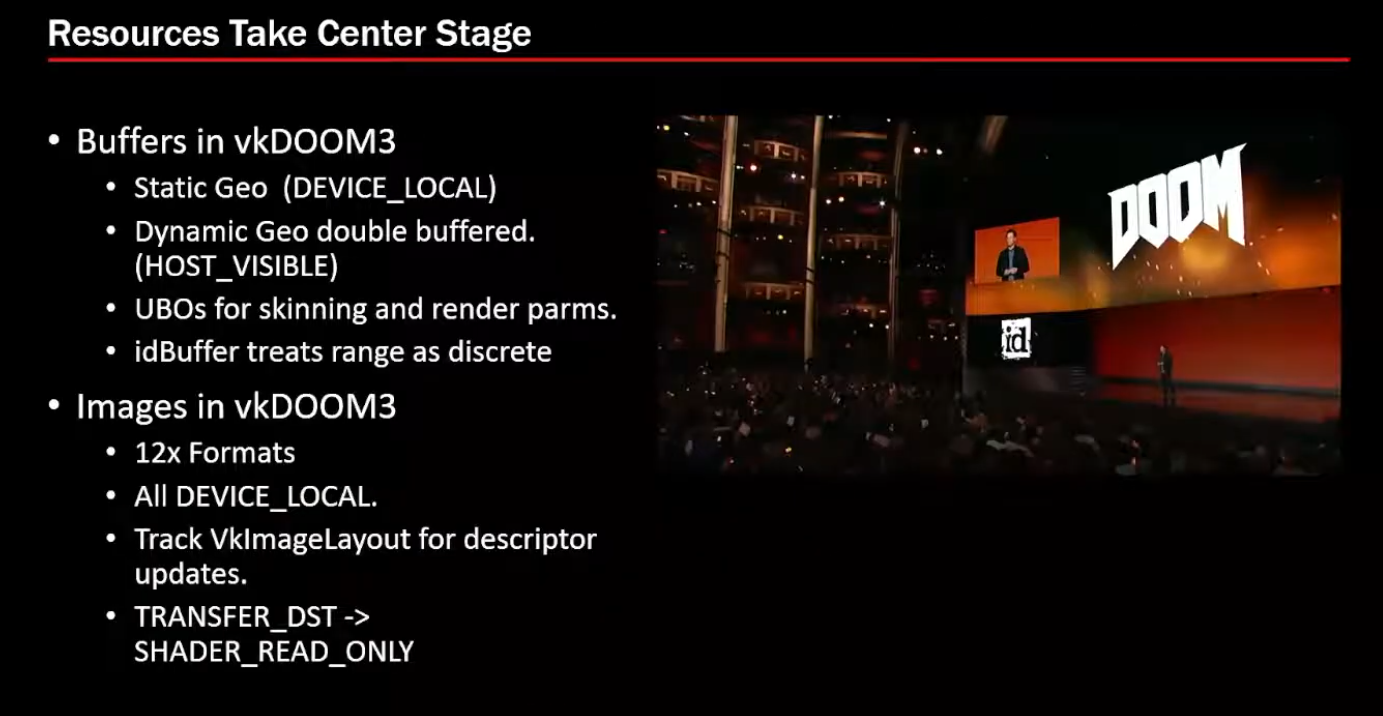
Buffers and Images
-
 .
.
-
-
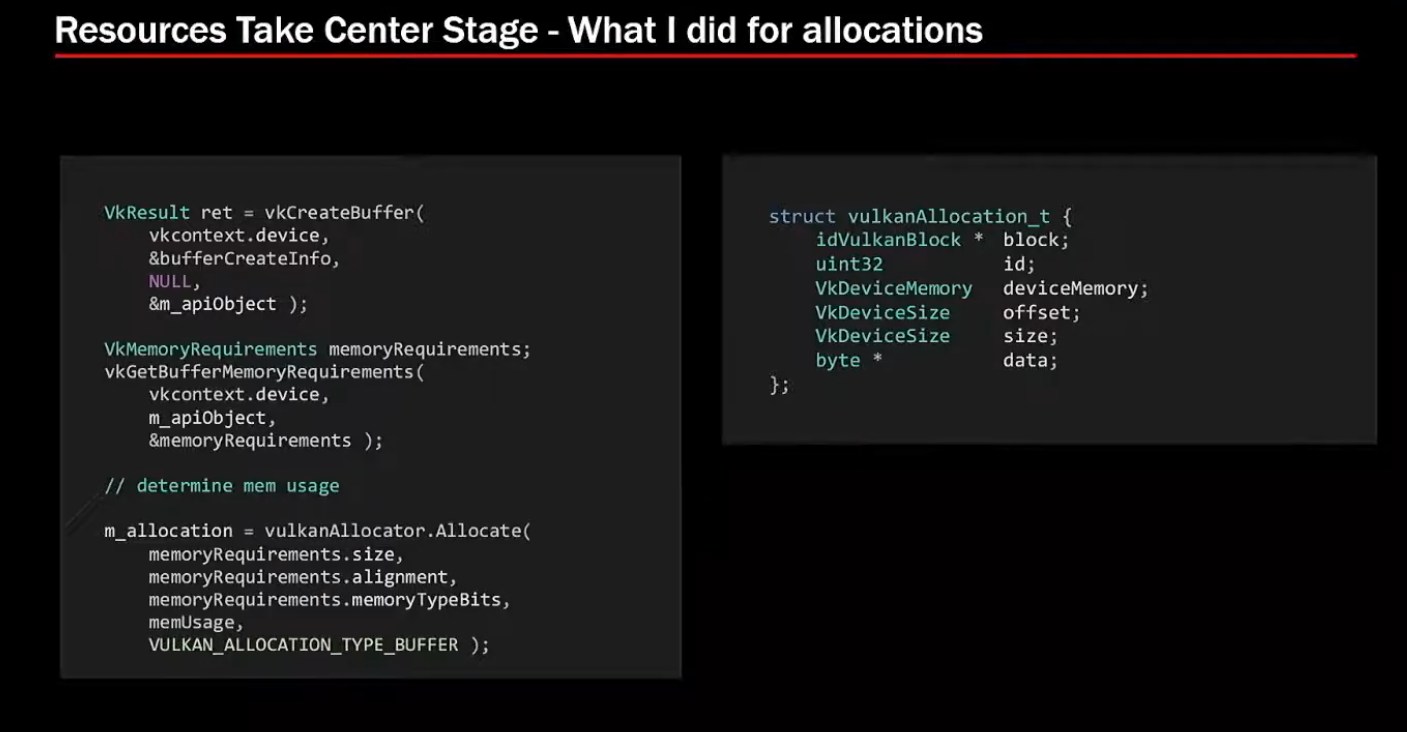
Allocations:
-
VMA for allocators.
-
 .
.
-
 .
.
-
-
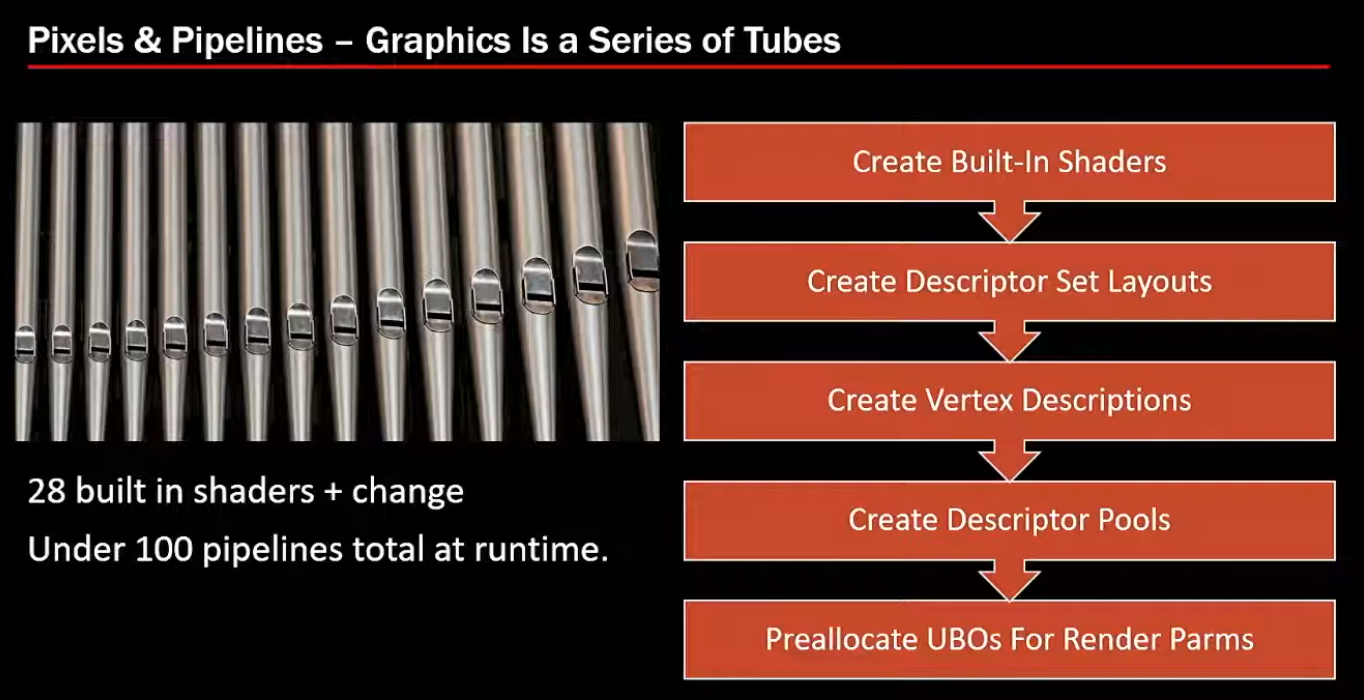
28 shaders + changes => 100 pipelines total at runtime.
-
 .
.
-
-
Synchronization:
-
Not much of it. Doom 3 was single-threaded, it didn't require multithreading.
-
-