Alpha
// baseColor has already been premultiplied
vec4 shadeSurface(vec4 baseColor) {
    float alpha = baseColor.a;

    vec3 diffuseColor = evaluateDiffuseLighting();
    vec3 specularColor = evaluateSpecularLighting();

    return vec4(diffuseColor + specularColor, alpha);
}
Alpha Blend
-
With Z-Buffer Rasterization, the order matters.
-
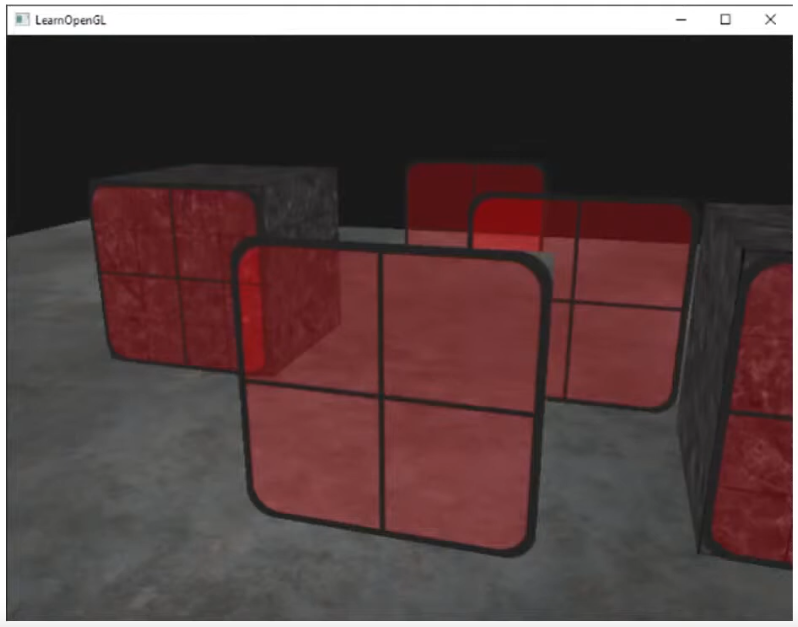 .
.
-
If renderer back to front, it works fine.
-
-
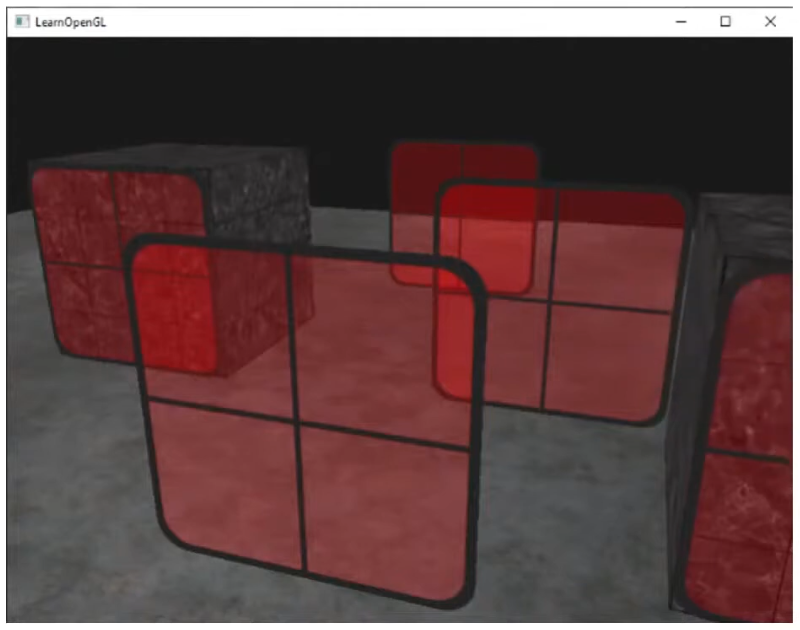 .
.
-
With A-Buffer Rasterization, the objects get sorted based on the alpha, so we don't have this problem.
-
GPUs use Z-Buffer, so we are stuck with it.
-
Alpha Testing
-
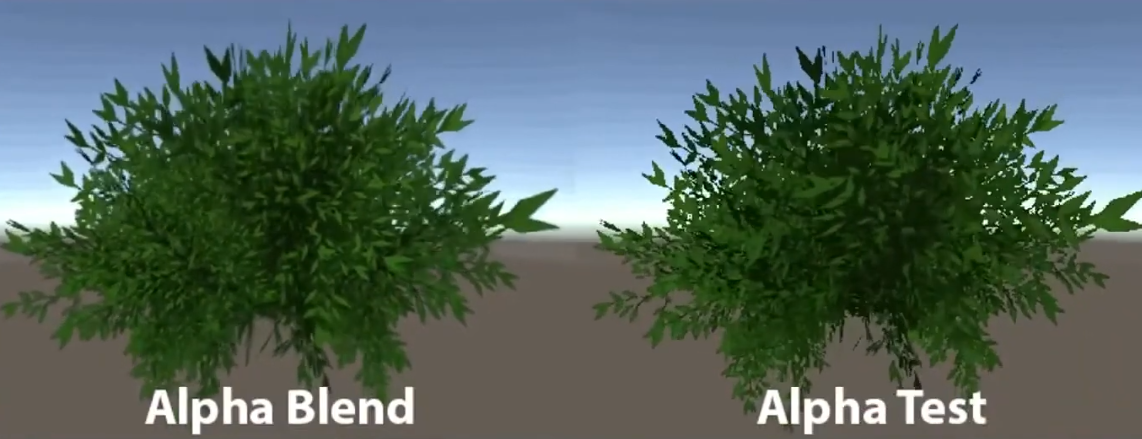 .
.
-
If the alpha is below a certain threshold, discard.
-
Alpha Testing with mipmapping can have problems:
-
 .
.
-
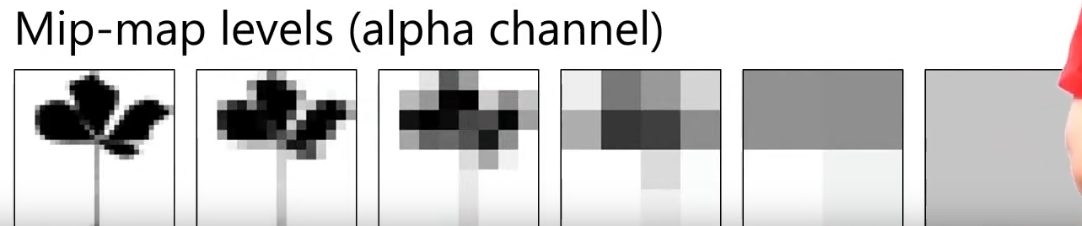 .
.
-
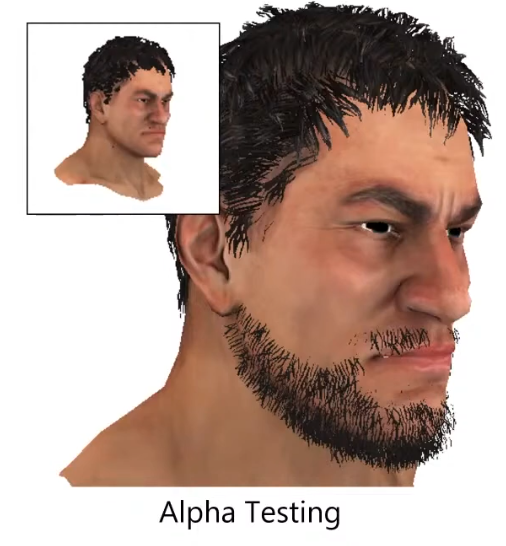
The alpha ends up converging to a value below the threshold
-
 .
.
-
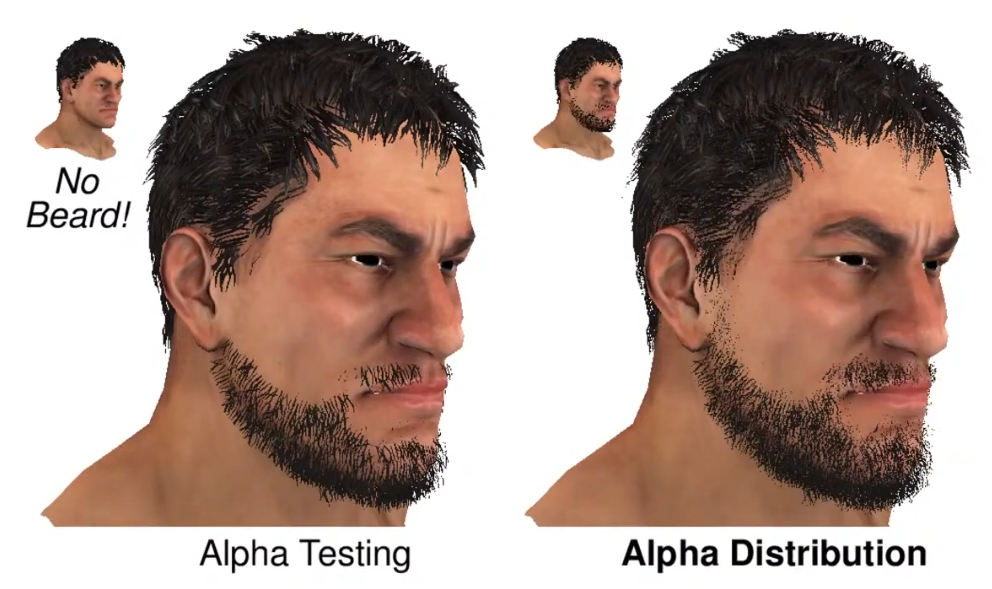
At far away, the character loses its beard.
-
-
Hashed Alpha Testing
-
-
 .
.
-
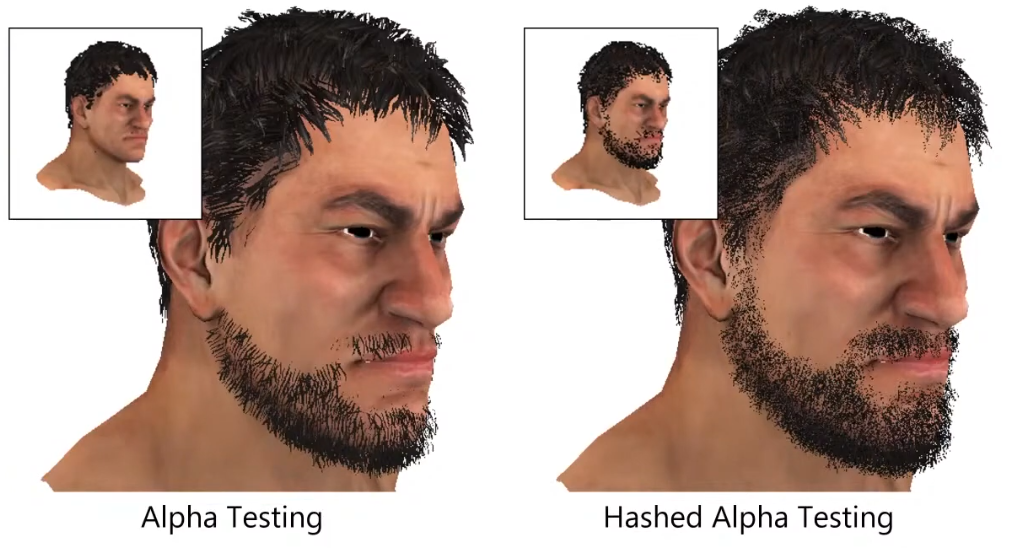
Test randomly.
-
The discard is made in software, not in hardware.
-
It's really noise, as it looks like dithering.
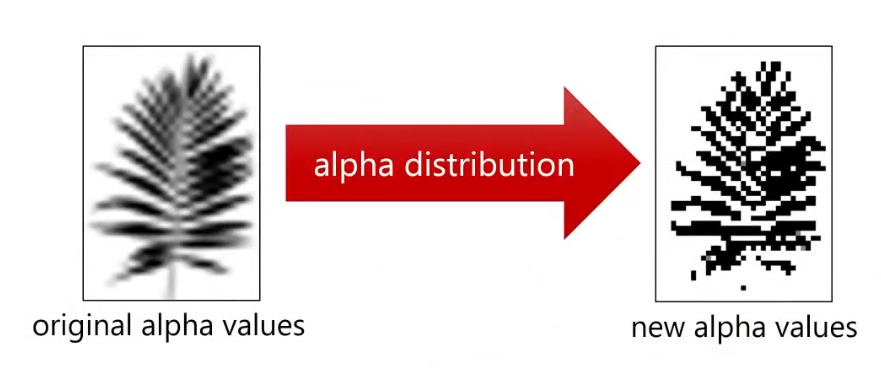
Alpha Distribution
-
-
 .
.
-
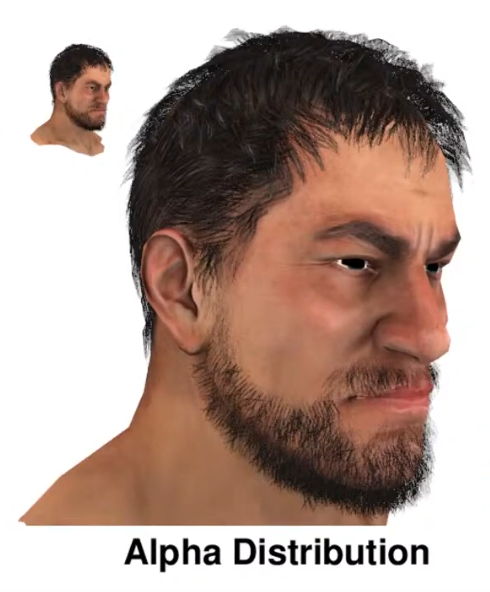 - Alpha Distribution + Alpha to Coverage.
-
Uses dithering first.
-
 .
.
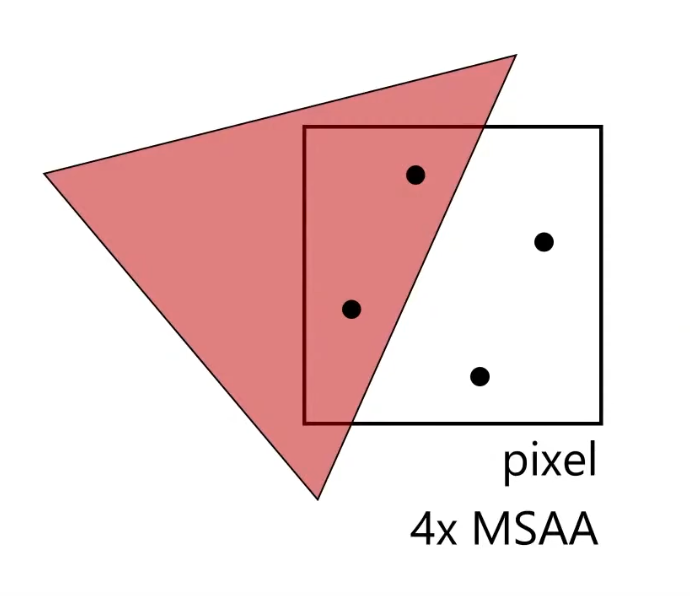
Alpha to Coverage
-
 .
.
-
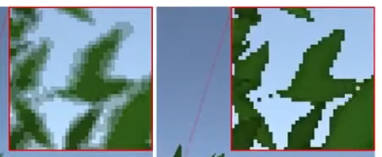
You get smoother pixels than with Alpha Testing.
-
It adds different values of alpha, instead of 0 or 1.
-
With 4x, you can get 4 different values of alpha: 0.0, 0.25, 0.5, 0.75.
-
-
 .
.
-
Alpha to Coverage (left), Alpha Testing (right).
-
Order-Independent Transparency
-
Godot 4 - Render Limitations .
-
Godot doesn't do OIT.
-
The article shows how to deal with it.
-
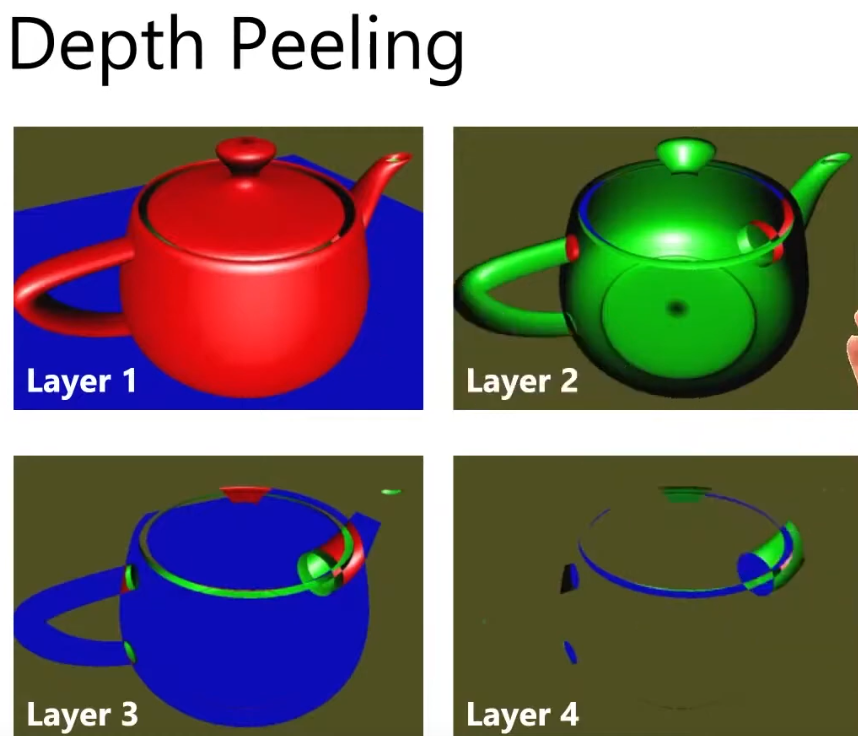
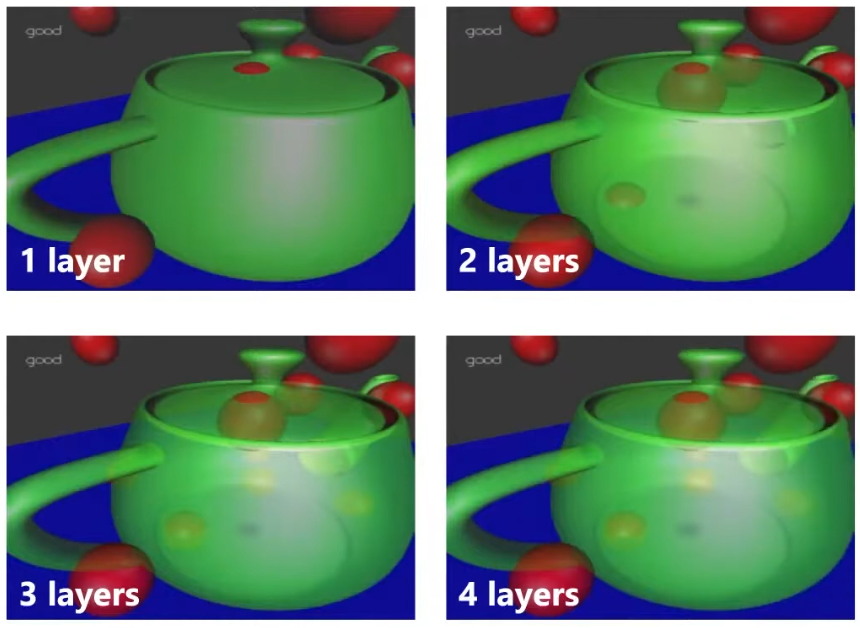
Depth Peeling
-
-
Layer 1:
-
Render as full opaque.
-
-
Layer 2:
-
Use the depth buffer from Layer 1 to perform additional depth test while rendering Layer 2.
-
-
Etc, etc.
-
The amount of layers depend on the object.
-
 .
.
-
For every layer, you have to render the scene again; 4 layers = 4 times the cost.
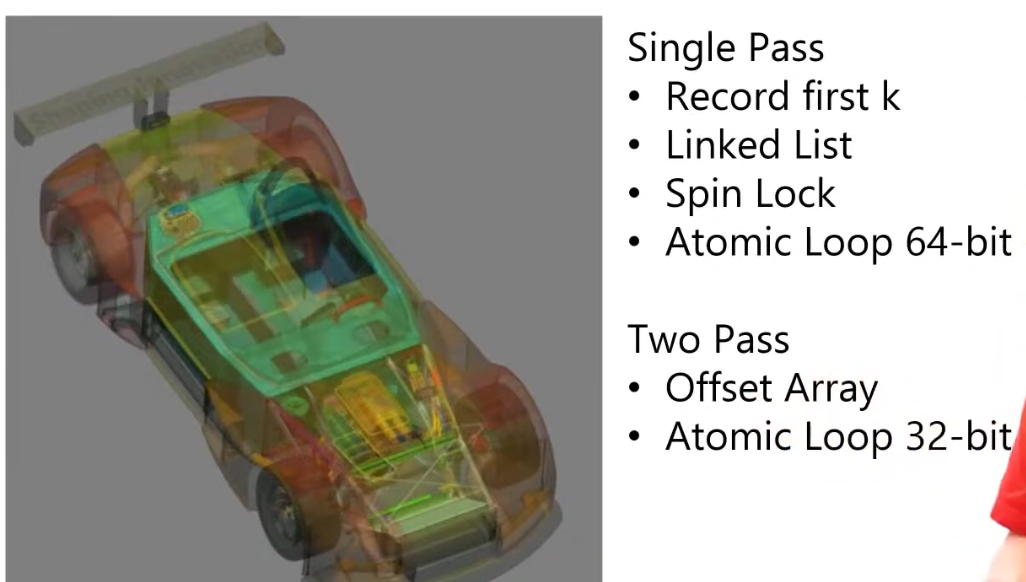
"Software A-Buffer"
-
To avoid the costs of Depth Peeling, we soft-implement A-Buffer.
-
 .
.
-
"Order-Independent Transparency in OpenGL 4.X - Nvidia".
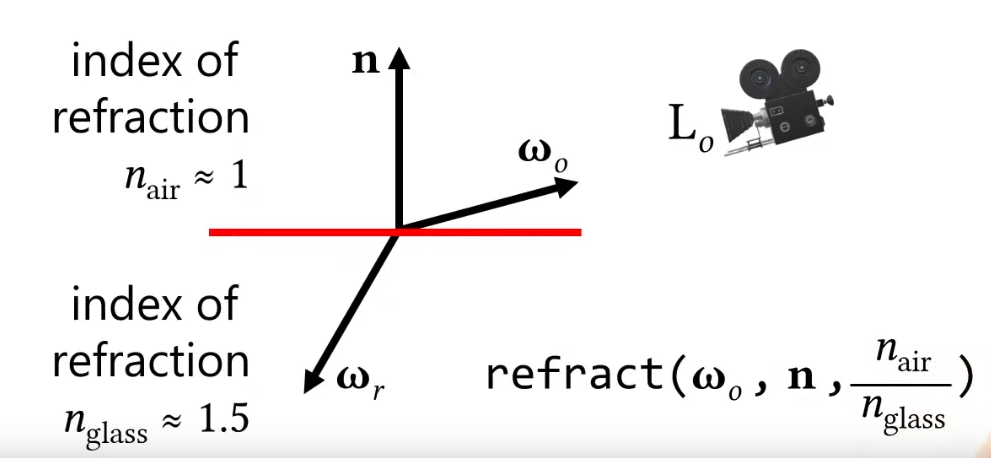
Refraction
-
You need to know the light that is coming from behind the surface.
-
 .
.
-
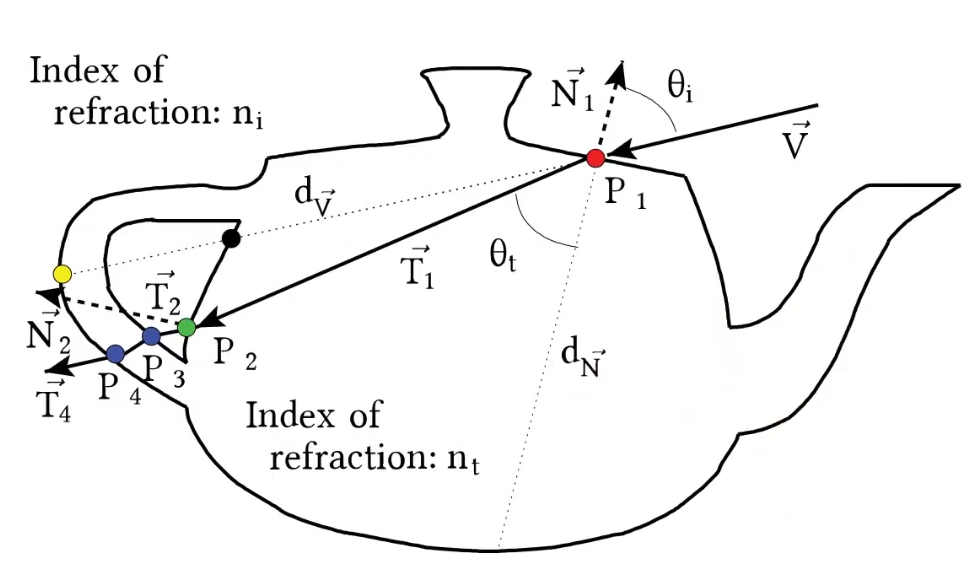
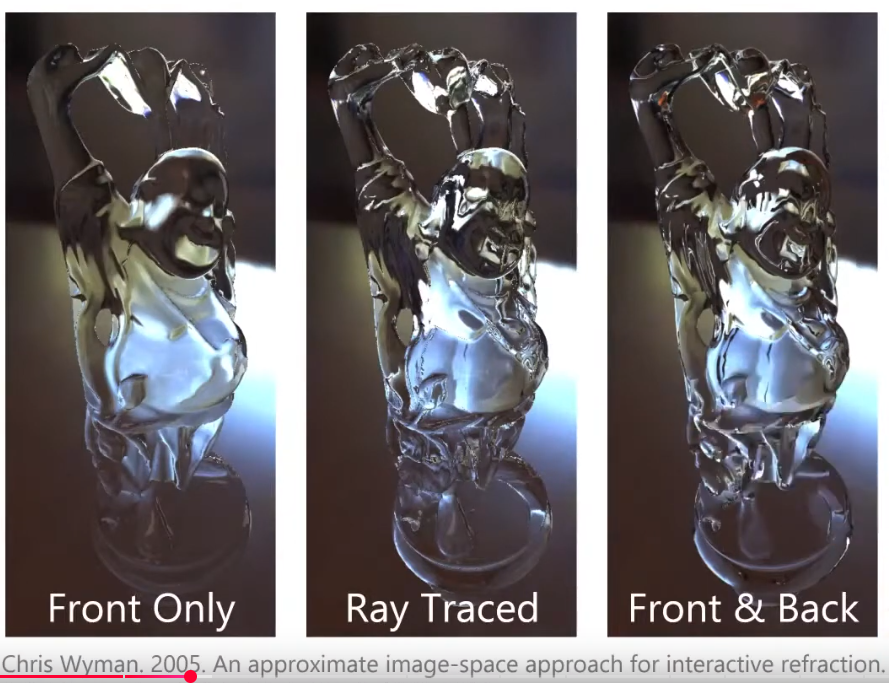
The front and back need to be considered.
-
 .
.
-
The rays refract in and out.
-
-
 .
.
-
 .
.
-
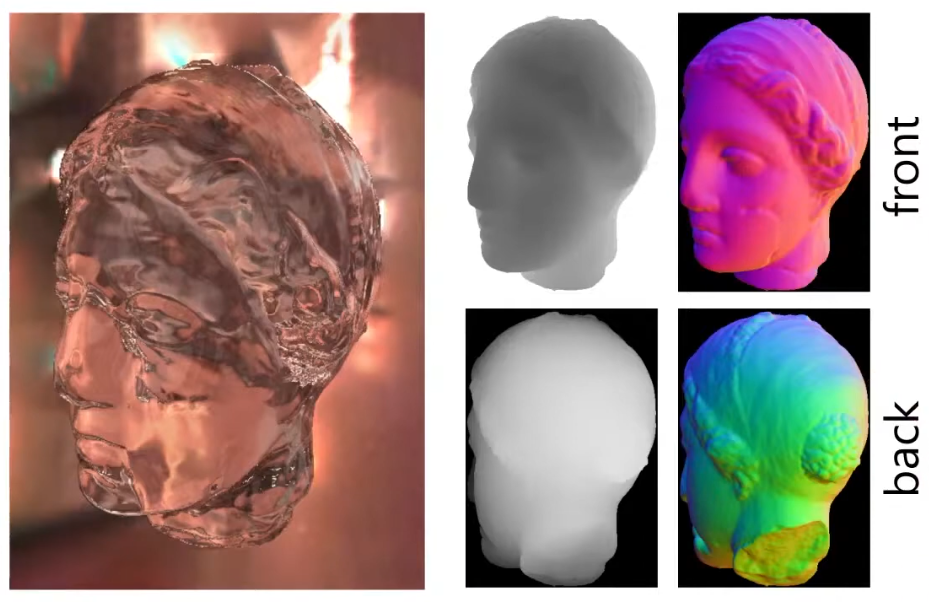
A normal render gives you the depth and normals of the front.
-
We render the back as a pre-pass, to get the depth and normals of the back.
-
The difference between the depth value from the back and the front will give you the thickness of the object.
-
This is an approximation for how long the ray will travel inside that object.
-
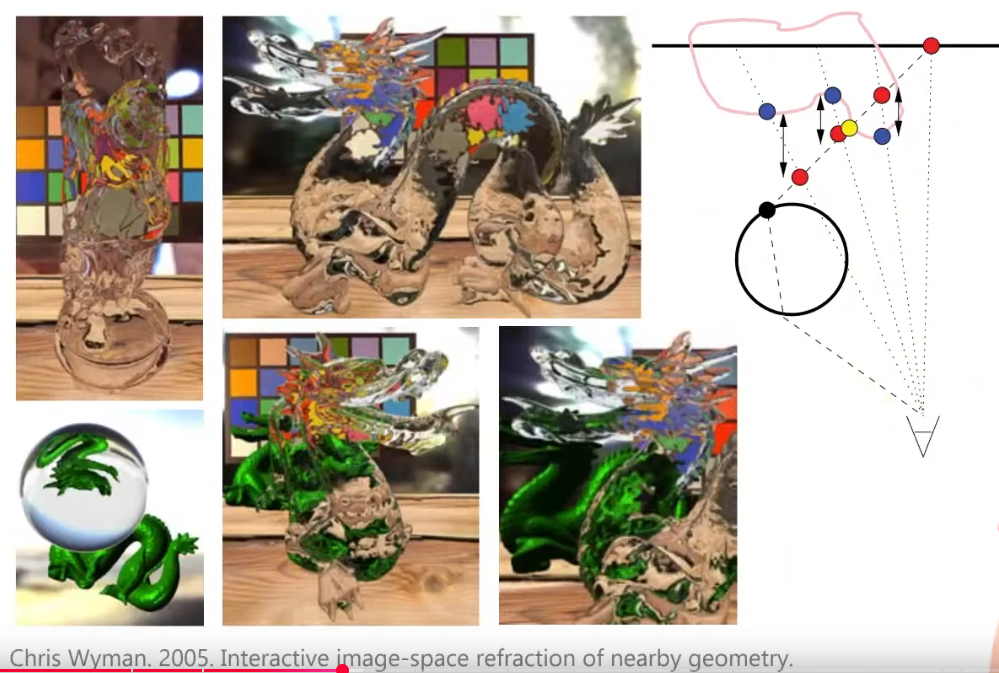
"If I were to travel this much, where will I end up in the Back texture?".
-
This gives you the direction of the exiting ray, so you can sample an environment map.
-
 .
.
-
To see other objects, besides the environment map, the objects need to be rendered first, etc; a process similar to parallax mapping is used to solve this.
-
Super fast, cool.