-
-
Explained considering a very large Unity integration, nothing special is done.
-
Not really.
-
Snow
-
Screen Space Frost, with Volumetric Snow .
-
I didn't understand how it works.
-
I tried using it as a Plane in front of the Camera3D I use for the protagonist. I also tried flipping the plane's face.
-
-
Plane with deformable snow using a camera and subviewport .
-
The demo used in the video makes everything very clear.
-
A shader is needed on the plane (to deform it), a subviewport with a camera (to detect things in real-time), and 'CPUParticles3D' to emit particles where you want the plane to be deformed.
-
-
Snow on objects, caring about UV.-
Creates an effect that depends on the object's UV, looking odd if the mesh is low-poly.
Ice
Water
-
Create water (2) / Frequency Domain / Fourier Transform / Use of Jacobian to create water 'Foam' .
-
-
The subviewport camera is used in Orthographic mode, with its size exactly equal to the mesh.
-
Clear Mode -> Next Frame, to perform "double buffering". Docs . "Note: This property is intended for 2D usage.".
-
-
-
Very cool. I found the way points were created on the object very interesting, so it can "dance" inside the water. Very nice.
-
Rain
Sun Beams
-
These are accomplished with a radial blur centered on the sun, during postprocessing. The nice thing about this effect is how dynamic it is. As you walk beneath the trees, the shape and intensity of the beams constantly change.
Fog
-
Fog .
// Linearize the depth factor
depth = (1 - far/near) * depth + (far/near);
depth = 1.0 / depth;

// Multiply by the far clipping plane distance.
depth *= far;
// This results in the `view_distance`.
view_distance = depth;
-
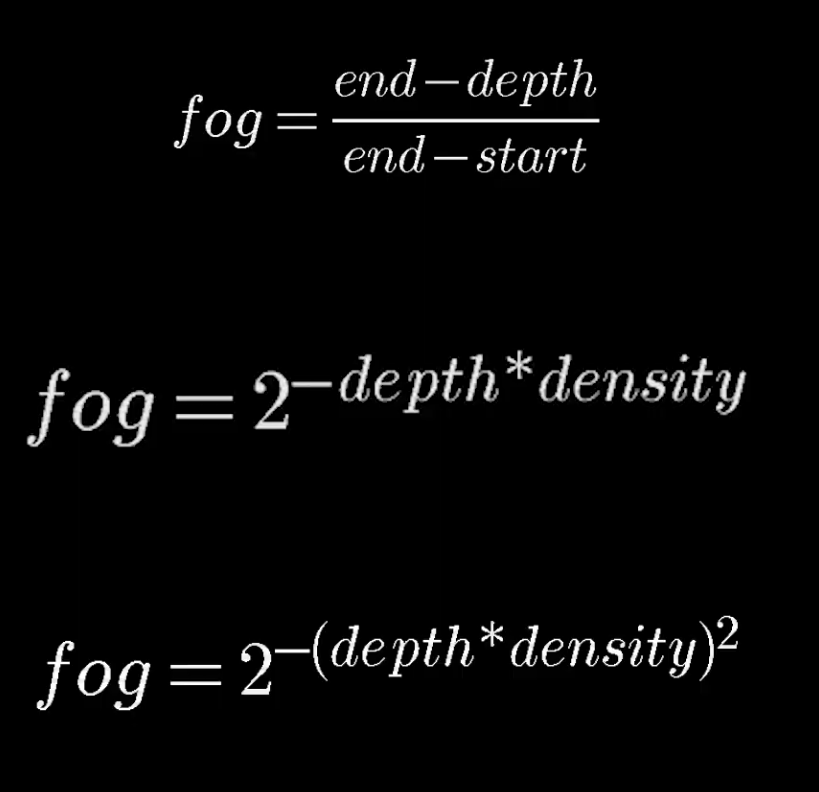
3 possible formulas:
-
 .
.
-
Linear.
-
Exponential.
-
Exponential Squared.
-
This one is recommended because it has a nice effect.
-
-
Spatial
-
Tornado .
-
-
Haven't watched it yet.
-
-
Object/Cards with 3D Depth Effect .
-
The effect is very nice.
-
Grass
-
Instantiate grass and make it billboarded .
-
He does not show any code, but says he uses the following things:
-
Instantiates objects evenly on the terrain, 'somehow'.
-
I believe the same method he used to 'instance foliage on a tree' is used.
-
-
Makes the objects have size variation and so on, to give variety and the impression of more organic foliage.
-
Accesses the position of each blade and makes it have Y-Billboarding, 'somehow'.
-
The color of each blade is based on the color of the terrain below where it was instanced.
-
This was done by placing a camera above the terrain, so that what it sees is used as a sample.
-
-
-
No grass interacts with physics.
-
Foliage
-
Note :
-
I don't know which of the effects below performs better.
-
-
Foliage using a quadmesh-to-billboard shader .
-
The technique is certainly very interesting. It produces a very nice effect.
-
*For Godot:
-
*In Blender:
-
Select all UV -> F1 -> reset.
-
Maybe doing Separate by Edge beforehand on the mesh can be useful.
-
-
See-through
Cut-off
-
-
Very simple.
-
The fragment is discarded if the distance to the plane is
<= 0.001. The plane is defined in GDScript and passed as a parameter.
-
Screen Filters
-
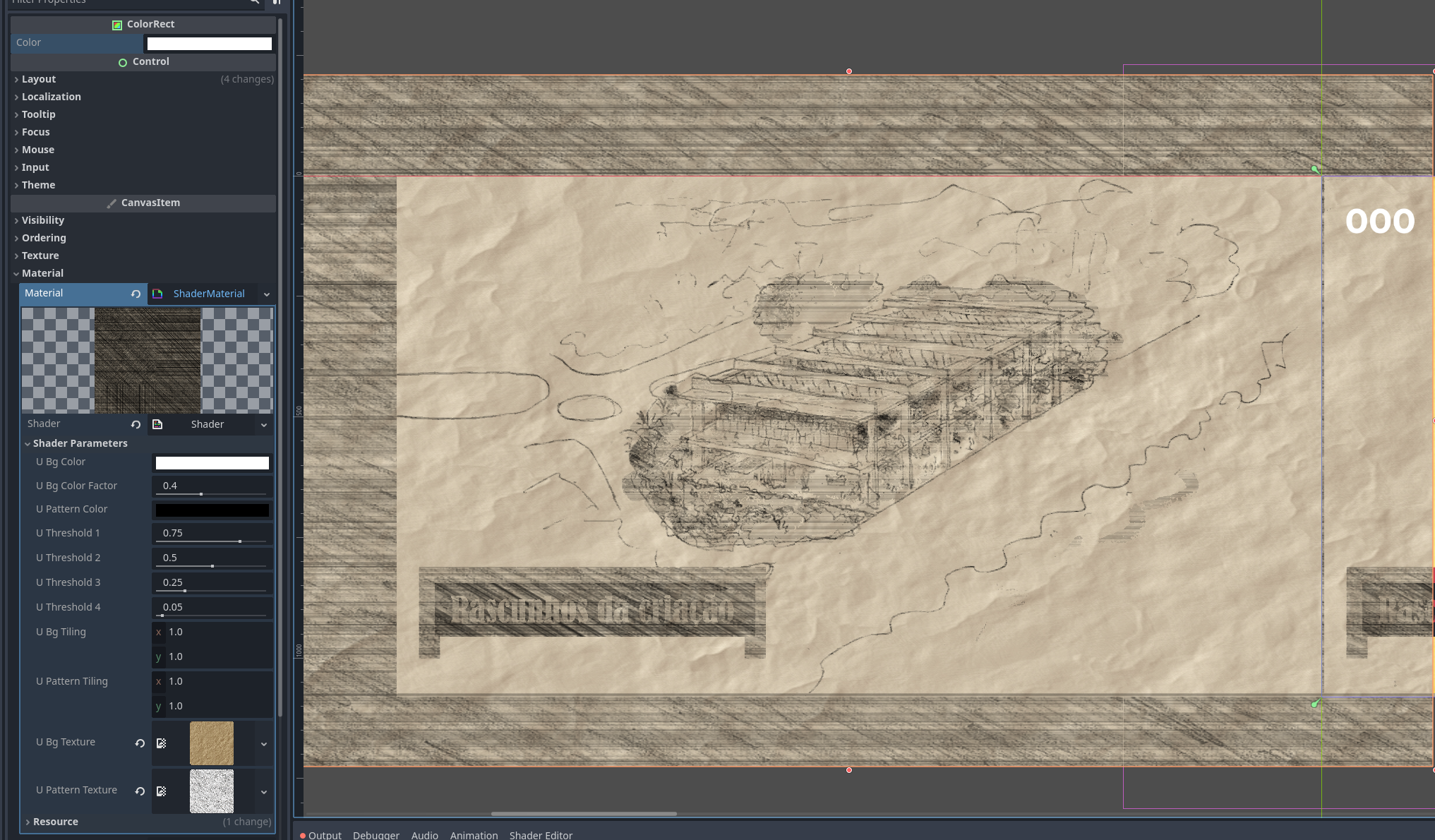
Kuwahara Filter and Anisotropic Kuwahara .
-
The Anisotropic Kuwahara is an improved version of the Kuwahara.
-
-
-
It is based on colors and requires a very long tweak to get what's happening right.
-
-
-
 .
.
-
2D Dissolve
2D Water
2D Wind
2D Physics Rendering
2D Etc
Particles
Scene Transitions
Techniques
-
Reduce the tiling effect of a texture .
-
1 - Blending between 2 distinct textures.
-
2 - Rotate the UV using a Noise Texture; this method is more complicated.
-
"Stochastic Texturing".
-
-
Color Lookup Tables, to color a sprite .
-
Very interesting video.
-
It discusses a way to make animations and drawings using a process of "Color Lookup Tables", very similar to the UV Unwrap method for 3D models.
-
This gives interesting advantages such as dynamically changing the color of the model being animated, and allowing the player to customize it.
-
-
~ Godot Specific: Create "holes" (mask) in meshes, where the shader should not affect .
-
Uses a limitation of Godot related to
SCREEN_TEXTUREand Camera.
-
PS1
-
PS1 Graphics {10:56} - Acerola .
-
The start of the video gives an overview of graphics pipelines and transformation matrices.
-
The explanation is ultra rushed and makes it seem much more complicated than it is.
-
-
PS1 used a 2D renderer and had some limitations:
-
Affine Texture Mapping
-
Modern GPUs do not have this issue as they can properly interpolate perspective-correct values, since they are meant to render 3D scenes.
-
To simulate this we multiply the UV coordinates by w in the vertex shader and in the fragment shader we divide by w to reverse the perspective correction applied during interpolation in rasterization.
-
The distortion effect can be really severe, but using meshes with higher polygon count reduces the effect.
-
A tessellation shader could correct this distortion almost entirely, but since we want the effect, we'll keep it as is.
-
-
-
Integer coordinate restriction.
-
To simulate this, a vertex shader is used to snap to the nearest value based on the screen resolution.
-
-
-
For lighting, we'll use vertex lighting.
-
This means we can only have a single light source.
-
We'll use this for ambient occlusion.
-
-
Fog is made...
-
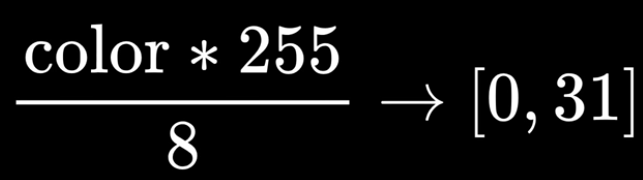
For color, we convert the default 16-bit color to 5-bit color:
-
 .
.
-
From
[0,255]to[0,31].
-
-
Finally, a dither is applied to reduce the color banding caused by 5-bit colors.
-
-
PS1 Graphics - Implementation by Acerola in Godot .
-
Cool. Can be used as a guide. It is less formal and confusing than Acerola.
-
-
-
The only relevant part of the video is the technique to make the truck's texture, and nothing else.
-
Pixel Art
Sources
-
t3ssel8r .
-
Often attributes much more mathematics than necessary to certain topics, with little focus on design dilemmas, and a lot of focus on mathematical over-complication.
-
Clearly a mathematician inspired by 3Blue1Brown.
-
Often flexes about the time spent on certain tasks; there is a big ego.
-
-
Voyage .
Shaders
-
Pixel Art via DownSampling, Color Quantization, Filtering, Dithering .
-
Pixel Art Particles, via a screen texture .
-
A texture on the screen is used that moves with camera movement (ideally the camera should move little).
-
Dynamic masks are also used to modulate the particle brightness using the game's 'Sun Rays'.
-
"This works very well for 2D games and for 3D games with orthographic projection".
-
His game is 3D orthographic.
-
-